DCT for WP

Dynamic Child Theme for WordPress

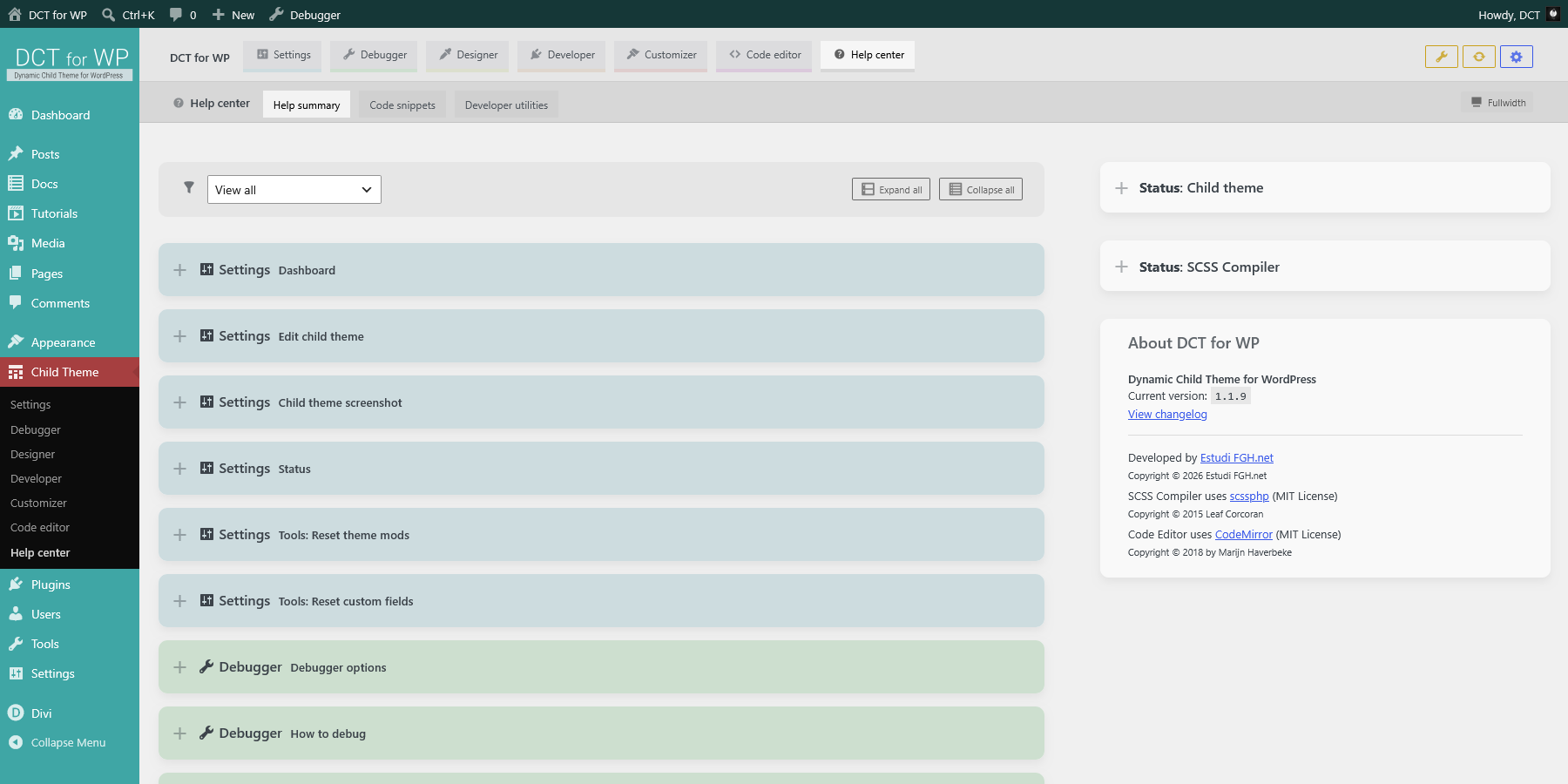
Help summary

Summary of contextual help

List of all contextual help panels and options with external links to WordPress Codex, filterable by module category.

Overview Introduction

Child themes are extensions of a parent theme. They allow you to modify an existing theme without directly editing that theme's code. They are often something as simple as a few minor color changes, but they can also be complex and include custom overrides of the parent theme.

DCT for WP (Dynamic Child Theme for WordPress) is a child theme designed to be used with any WordPress parent theme (template). Includes all the tools you need to debug, design, develop, customize, and code your self-hosted WordPress websites without using additional plugins.

Overview How it works

DCT for WP is a child theme that does not depend on any template. This means that it can be used with any parent theme, and can be changed at any time while maintaining all customizations and code. For this reason, it is called a dynamic child theme.

To do this, the child theme itself generates the code necessary to update the custom files that are used to add functionality and styles to the website. Thanks to the integrated SCSS compiler and code editor, it is possible to add styles and javascript to the frontend, customize the control panel and login page, register CPT and taxonomies or activate maintenance and debug mode, among others, without the need for external plugins or extra complications.


Dynamic Child Theme for WordPress can:

  • Generate PHP/JS code and update related custom files to add new functions.
  • Generate SCSS code, update related custom files and compile all CSS to add new styles.
  • Minify and autocompile all SCSS if required, for updating custom files with external editor and FTP.
  • Edit base file style.css to update the child template and version.
  • Toggle debug mode to enable the debugger panel on the frontend for easy debugging.
  • Use basic mode panels with generator lists to update related custom files code automatically.
  • Use advanced mode panels with integrated code editor to edit related custom files code directly.

Overview Child theme mods

DCT for WP uses theme modifications (theme_mods) that are stored in the database with the customization settings specific to the active theme, such as global variables and customizer options.

This information is stored in the wp_options table with the name theme_mods-dct-child-theme, using the name of the child theme folder. This way, you can have multiple child themes installed with different configurations and parent theme, by changing the folder name before activating the child theme.

You can check the value of any theme mod in the theme status panels with debug mode enabled, or use the Settings > Status & Tools page, which also allows you to reset to default values.

Overview Child theme custom files

All custom files are organized by extension subfolders in the child theme's custom folder, which is created upon theme activation in: wp-content/themes/dct-child-theme/custom/

The custom folder, any extension subfolder, or custom file that is deleted or renamed via FTP will be regenerated with the default template on the next load.

Child theme default folder structure:

  • dct-child-theme
    • custom
      • assets
      • css
        • login-page.css
      • img
        • dct-preloader.svg
      • js
        • custom.js
        • login-page.js
      • php
        • dct-assets-enqueue.php
        • dct-custom-fields.php
        • dct-custom-post-types.php
        • dct-functions.php
        • dct-taxonomies.php
      • scss
        • _colors.scss
        • _custom.scss
        • _fonts.scss
        • _preloader.scss
        • _sizes.scss
        • admin-panel.scss
        • login-page.scss
    • includes
      • admin
      • images
      • js
      • languages
      • scss
      • templates
      • vendor
    • presets
      • backgrounds
        • Gavarres-fogs-1.jpg
        • Gavarres-fogs-2.jpg
        • Gavarres-fogs-3.jpg
        • Gavarres-fogs-4.jpg
        • Gavarres-fogs-5.jpg
        • Gavarres-fogs-6.jpg
        • Gavarres-fogs-7.jpg
        • Gavarres-fogs-8.jpg
        • Gavarres-fogs-9.jpg
      • code-snippets
        • Header-meta-viewport-accessibility.php.txt
        • Images-sizes.php.txt
      • json
        • assets-cdn.json
      • preloaders
        • bars-rythm.svg
        • bars-wave.svg
        • blocks-shuffle.svg
        • bouncing-ball.svg
        • dots-bounce.svg
        • dots-movement.svg
        • dots-rotation.svg
        • ring-dots-scale.svg
        • ring-rotate.svg
    • functions.php
    • README.md
    • screenshot.jpg
    • style.css
    • style.scss

Most used custom files:
PHP dct-functions.php/custom/php/dct-functions.php
Child theme custom PHP functions.
Used as functions.php to add custom PHP code to child theme.
Type: PHP
Size: 10 KB
Modified: 2026/09/08 09:06:43
JS custom.js/custom/js/custom.js
Child theme custom JS.
Used to add custom JS code to child theme frontend.
Type: JS
Size: 17 KB
Modified: 2026/09/08 08:03:45
Open file in new tab
SCSS _custom.scss/custom/scss/_custom.scss
Partial SCSS for custom frontend styles.
Used to add custom CSS to child theme frontend styles.
Type: SCSS
Size: 10 KB
Modified: 2026/09/08 09:06:50
Open file in new tab

PHP custom files:
On update:
Basic mode: New code will be generated to update the related PHP file. Related theme mod will be updated.
Advanced mode: Code editor contents will be used to update the related PHP file. Related theme mod will not be updated.

On reset:
Related PHP file will reset to default template. Related theme mod will reset to default values.
JS custom files:
On update: Code editor contents will be used to update the related JS custom file.
On reset: Related JS custom file will reset to default template.

SCSS custom files:
On update:
Basic mode: New code will be generated to update the related partial SCSS file and all CSS will be compiled. Related theme mod will be updated.
Advanced mode: Code editor contents will be used to update the related partial SCSS file and all CSS will be compiled. Related theme mod will not be updated.

On reset:
Related partial SCSS file will reset to default template and all CSS compiled. Related theme mod will reset to default values.

Overview Installation & update

Install through WordPress admin panel
  1. Go to Appearance > Themes and click Add Theme.
  2. Click Upload Theme button on top, select and upload zip file dct-child-theme.zip from your device.
  3. Default parent theme twentytwentyfive will be installed if it is not found and required as template.
  4. Select new installed DCT for WP to check details and click Activate to enable theme using template as parent theme.
  5. Once enabled, a new admin panel sidebar menu option Child Theme will appear, after Appearance.
  6. Go to Child Theme > Settings > Edit child theme to update child theme name, version and parent theme.

Install through FTP
  1. Unzip dct-child-theme.zip file from your device.
  2. Upload unzipped folder via FTP to WordPress folder wp-content/themes/.

Update DCT for WP version
  1. Unzip dct-child-theme.zip file from your device.

Settings Dashboard

Once installed, you can access the child theme dashboard through the sidebar menu option Child Theme, after Appearance".
The dashboard panels offers quick options, current status and general information about the child theme and site.

Settings Edit child theme

Edit current child theme basic information: theme name and version, change template and author info.
Updating theme version number is recommended after making code changes.

  • Theme name: Name of current child theme.
  • Theme version: Version of current child theme. Used for cache purposes on assets enqueue.
  • Theme description: Short description for current child theme.
  • Theme template: Parent theme used by current child theme. Select any installed theme to use as template.
  • Theme url: Website related to current child theme.
  • Theme auhor: Child theme author name and website.

On update: Child theme base style.scss file will be updated and compiled with new theme information.
On reset: Child theme base style.scss file will be reset and compiled with default settings and template twentytwentyfive

Settings Child theme screenshot

Update the current child theme preview screenshot, used in menu Appearance: Themes.

Click on preview image to select/upload a custom image from the media library.
Recommended image format and size: JPG | 1200 x 900px
On update/reset: Selected/default image will be copied to child theme's folder, replacing current file screenshot.jpg

Settings Status panels

Child theme and SCSS compiler current status and general information.

Status panels are available through the debug panel on the frontend and admin panel child theme pages if debug mode is enabled.

Settings Tools: Reset theme mods

Remove current child theme mods fields from database and regenerate with default values on next load.

Select a group type or single theme mod to reset, useful when changing template to remove parent theme related fields.
On reset: Selected theme mods will be deleted, and regenerated with default values on next load if required.

Settings Tools: Reset custom fields

Delete custom files and reset to default template contents.
Select a group type or single custom file to reset.

All custom files are organized by extension subfolders in the child theme's custom folder, which is created upon theme activation in: wp-content/themes/dct-child-theme/custom/

The custom folder, any extension subfolder, or custom file that is deleted or renamed via FTP will be regenerated with the default template on the next load.


On reset: Selected custom files will be deleted and regenerated with default template.

Settings Tools: Reset presets JSON files

Delete presets JSON files and reset to default template contents.
Select all or single JSON template file to reset.

Edit related JSON file in Help center > Presets or upload your own to child theme presets folder:
dct-child-theme/presets/json/

JSON errors can break your site. Use FTP to delete any JSON file in presets folder or use Settings > Tools to reset any JSON file to default template.

On reset: Selected template JSON files will be deleted and regenerated with default template.

Debugger Debugger settings

Enable debug mode to use debugger panel and related functions during development.

The debugger panel can be accessed only by logged-in users with allowed capabilities in the frontend and admin panel through the admin top bar button. It contains information about current post queries, theme status, PHP/JS logs and other useful information for debugging.

  • Debug mode: Enables debugger panel for allowed users in frontend and admin panel, with PHP/JS logs, post queries, child theme status and other information.
    Recommended only in development.
  • Debug mode advanced: Adds more verbose to PHP and JS logs and enables developer mode in admin panel.
    Recommended only in development, for advanced users.
  • Debugger panel options: Set allowed users and debugger panel display options.
    Debugger panel display options can be changed anytime from the panel itself.

On update: Related theme mod will be updated. Debug mode enables debugging functions and debugger panel through the top bar button.
On reset: Related theme mod will be reset to default values. Debug mode will be disabled.

Debugger How to debug

Use debugger panel log for PHP and JS

Add an entry to the debugger panel log in PHP and JS custom files code:

dct_debug(text, variable, level, advanced);

Use this function to debug any variable type with a custom level when debug mode is enabled. In JS, also logs to the browser console.
  • text: Text to debug. Default: empty.
  • var: Variable to debug (any type). Default: empty.
  • level: Level of log entry, allows filtering. Options: "log" (default), "info", "success", "warning", "error".
  • advanced: Only log when debug mode advanced is enabled. Default: false.
  • var_table: Only for JS. Log variable to console in table format. Default: false.

How to use dct_debug function with custom files code:
Code: JS
Copy editor contents to clipboard.
Toggle editor light/dark theme.
Toggle editor full height.
Code: PHP
Copy editor contents to clipboard.
Toggle editor light/dark theme.
Toggle editor full height.


Use $dct object in PHP and JS

Object $dct contains information about your child theme, environment and current page that can be used in custom JS and PHP code.


How to use global $dct object with custom files code:
Code: JS
Copy editor contents to clipboard.
Toggle editor light/dark theme.
Toggle editor full height.
Code: PHP
Copy editor contents to clipboard.
Toggle editor light/dark theme.
Toggle editor full height.

Current $dct object contents:
{
    "debug": {
        "enabled": true,
        "advanced": false,
        "maintenance": false
    },
    "scss_compiler": {
        "minify": false,
        "autocompile": true
    },
    "colors": {
        "primary": "#3fa6a5",
        "primary-dark": "#2a6e6d",
        "primary-darker": "#153736",
        "primary-light": "#6bc6c5",
        "primary-lighter": "#a2dbda",
        "primary-comp": "#a63f40",
        "label-debug": "#cddfcf",
        "label-debug-dark": "#a6c6aa",
        "label-debug-darker": "#7fad84",
        "label-debug-light": "#f4f8f4",
        "label-debug-lighter": "#ffffff",
        "label-design": "#dcdfcd",
        "label-design-dark": "#c0c6a6",
        "label-design-darker": "#a5ad7f",
        "label-design-light": "#f7f8f4",
        "label-design-lighter": "#ffffff",
        "label-develop": "#dfd6cd",
        "label-develop-dark": "#c6b6a6",
        "label-develop-darker": "#ad967f",
        "label-develop-light": "#f8f6f4",
        "label-develop-lighter": "#ffffff",
        "label-customize": "#dfcdcd",
        "label-customize-dark": "#c6a6a6",
        "label-customize-darker": "#ad7f7f",
        "label-customize-light": "#f8f4f4",
        "label-customize-lighter": "#ffffff",
        "label-code": "#dbc9dc",
        "label-code-dark": "#c1a3c3",
        "label-code-darker": "#a87daa",
        "label-code-light": "#f5f1f5",
        "label-code-lighter": "#ffffff",
        "background-grey": "#f0f0f0",
        "background-grey-hover": "#e4e4e4"
    },
    "fonts": {
        "font-title": "'Roboto', sans-serif",
        "font-body": "'Roboto', sans-serif",
        "font-code": "'Roboto Mono', Courier New, monospace"
    },
    "sizes": {
        "site-max-width": "1000px",
        "menu-top-height": "82px",
        "docs-sidebar-width": "300px"
    },
    "assets": {
        "css": [
            "dct-style",
            "colors-panel-scss",
            "child-theme-style"
        ],
        "js": [
            "dct-base-js",
            "dct-admin-js",
            "gsap-min-js",
            "ScrollTrigger-min-js",
            "Draggable-min-js",
            "InertiaPlugin-min-js",
            "SplitText-min-js",
            "custom-js"
        ]
    },
    "customizer": {
        "preloader": true,
        "admin_panel": true,
        "login_page": true
    },
    "theme": {
        "Name": "DCT for WP",
        "Version": "1.2.0",
        "Description": "Dynamic Child Theme for WP Public release",
        "ThemeURI": "https://www.dctforwp.com",
        "Author": "Estudi FGH.net",
        "AuthorURI": "https://www.estudifgh.net",
        "Template": "Divi",
        "TextDomain": "dct",
        "DomainPath": "",
        "Status": "publish",
        "Stylesheet": "dct-child-theme",
        "StylesheetURI": "https://www.dctforwp.com/wp-content/themes/dct-child-theme"
    },
    "post": {
        "post_title": "Help summary",
        "post_id": 333,
        "post_type": "docs",
        "post_status": "publish",
        "post_date": "19/07/2026",
        "post_author": ""
    },
    "user": {
        "user_login": false,
        "user_id": 0,
        "user_name": false,
        "user_email": false,
        "user_roles": null
    },
    "conditionals": {
        "is_admin": false,
        "is_blog_admin": false,
        "is_login": false,
        "is_front_page": false,
        "is_home": false,
        "is_singular": true,
        "is_single": true,
        "is_page": false,
        "is_archive": false,
        "is_category": false,
        "is_tag": false,
        "is_date": false,
        "is_attachment": false,
        "is_author": false,
        "is_page_template": false,
        "is_paged": false,
        "is_post_type_archive": false,
        "is_search": false,
        "is_404": false,
        "is_ssl": true
    },
    "environment": {
        "Site URL": "https://www.dctforwp.com",
        "Theme basepath": "https://www.dctforwp.com/wp-content/themes/dct-child-theme",
        "Theme name": "DCT for WP",
        "Theme version": "1.2.0",
        "WordPress version": "7.1",
        "PHP version": "8.2.33"
    },
    "language": {
        "locale": "en_US",
        "user_locale": "en_US"
    }
}

Debugger Maintenance mode

Enable maintenance mode to disable the website with a customizable page during development, except for logged-in users with allowed capabilities.
Recommended only in development.
The site will be disabled to public with a customized page.


On update: Related theme mod will be updated. If maintenance mode is enabled, the site will be disabled for all users except for logged-in users with allowed capabilities.
On reset: Related theme mod will be reset to default values. Maintenance mode will be disabled.

Designer SCSS Compiler options

Set options for the SCSS compiler of child theme custom styles files.

  • SCSS Compiler minify: Minify CSS output when compiling SCSS files.
    Recommended in production.
  • SCSS Autocompile: Check for SCSS files updates and compile CSS output if required. Useful for editing custom files in an external editor and update them with FTP.
    Recommended only in development.

On update/reset: Related theme mod will be updated. All SCSS will be compiled to CSS.

Designer Global variables: Colors

Add & edit global color variables to use in customizer and child theme custom files code.
Optionally add automated color shades (light & dark versions) and complementary color.


On update:
Basic mode: New code will be generated to update the related partial SCSS file and all CSS will be compiled. Related theme mod will be updated.
Advanced mode: Code editor contents will be used to update the related partial SCSS file and all CSS will be compiled. Related theme mod will not be updated.

On reset:
Variables will be deleted.
Related partial SCSS file will reset to default template and all CSS compiled. Related theme mod will reset to default values.
How to use global colors variables with custom files code:
Code: SCSS
Copy editor contents to clipboard.
Toggle editor light/dark theme.
Toggle editor full height.
Code: CSS
Copy editor contents to clipboard.
Toggle editor light/dark theme.
Toggle editor full height.
Code: JS
Copy editor contents to clipboard.
Toggle editor light/dark theme.
Toggle editor full height.
Code: PHP
Copy editor contents to clipboard.
Toggle editor light/dark theme.
Toggle editor full height.

Designer Global variables: Fonts

Add & edit global fonts variables to use in child theme custom files code.
Optionally add @import rule on top of SCSS code, useful if font is not already imported.


On update:
Basic mode: New code will be generated to update the related partial SCSS file and all CSS will be compiled. Related theme mod will be updated.
Advanced mode: Code editor contents will be used to update the related partial SCSS file and all CSS will be compiled. Related theme mod will not be updated.

On reset:
Variables will be deleted.
Related partial SCSS file will reset to default template and all CSS compiled. Related theme mod will reset to default values.
How to use global fonts variables with custom files code:
Code: SCSS
Copy editor contents to clipboard.
Toggle editor light/dark theme.
Toggle editor full height.
Code: CSS
Copy editor contents to clipboard.
Toggle editor light/dark theme.
Toggle editor full height.
Code: HTML
Copy editor contents to clipboard.
Toggle editor light/dark theme.
Toggle editor full height.
Code: JS
Copy editor contents to clipboard.
Toggle editor light/dark theme.
Toggle editor full height.
Code: PHP
Copy editor contents to clipboard.
Toggle editor light/dark theme.
Toggle editor full height.

Designer Global variables: Sizes

Add & edit global sizes variables to use in child theme custom files code.


On update:
Basic mode: New code will be generated to update the related partial SCSS file and all CSS will be compiled. Related theme mod will be updated.
Advanced mode: Code editor contents will be used to update the related partial SCSS file and all CSS will be compiled. Related theme mod will not be updated.

On reset:
Variables will be deleted.
Related partial SCSS file will reset to default template and all CSS compiled. Related theme mod will reset to default values.
How to use global sizes variables with custom files code:
Code: SCSS
Copy editor contents to clipboard.
Toggle editor light/dark theme.
Toggle editor full height.
Code: CSS
Copy editor contents to clipboard.
Toggle editor light/dark theme.
Toggle editor full height.
Code: JS
Copy editor contents to clipboard.
Toggle editor light/dark theme.
Toggle editor full height.
Code: PHP
Copy editor contents to clipboard.
Toggle editor light/dark theme.
Toggle editor full height.

Designer How to use global variables

How to use global colors variables with custom files code:
Code: SCSS
Copy editor contents to clipboard.
Toggle editor light/dark theme.
Toggle editor full height.
Code: CSS
Copy editor contents to clipboard.
Toggle editor light/dark theme.
Toggle editor full height.
Code: JS
Copy editor contents to clipboard.
Toggle editor light/dark theme.
Toggle editor full height.
Code: PHP
Copy editor contents to clipboard.
Toggle editor light/dark theme.
Toggle editor full height.


How to use global fonts variables with custom files code:
Code: SCSS
Copy editor contents to clipboard.
Toggle editor light/dark theme.
Toggle editor full height.
Code: CSS
Copy editor contents to clipboard.
Toggle editor light/dark theme.
Toggle editor full height.
Code: HTML
Copy editor contents to clipboard.
Toggle editor light/dark theme.
Toggle editor full height.
Code: JS
Copy editor contents to clipboard.
Toggle editor light/dark theme.
Toggle editor full height.
Code: PHP
Copy editor contents to clipboard.
Toggle editor light/dark theme.
Toggle editor full height.


How to use global sizes variables with custom files code:
Code: SCSS
Copy editor contents to clipboard.
Toggle editor light/dark theme.
Toggle editor full height.
Code: CSS
Copy editor contents to clipboard.
Toggle editor light/dark theme.
Toggle editor full height.
Code: JS
Copy editor contents to clipboard.
Toggle editor light/dark theme.
Toggle editor full height.
Code: PHP
Copy editor contents to clipboard.
Toggle editor light/dark theme.
Toggle editor full height.

Developer Enqueue assets

Enqueue local or external assets with a version cache to the child theme frontend pages and admin panel.

Allowed assets types to enqueue: JS, CSS and local SCSS (will be compiled to CSS).

Select custom url, a local asset (uploaded to child theme custom assets folder) or a CDN url. Assets will be enqueued in order before child theme custom files, so enqueued assets can be used in custom code. Useful to add external libraries that can be used in JS custom code, or styles that can be overwritten in SCSS custom code.
Asset options:
  • Asset source: Upload your custom assets to use them as local assets, use a external CDN or custom url.
  • URL: Asset URL or relative path to custom assets folder.
  • Asset version: Asset version, which is added to the URL as a query string for cache busting purposes.
  • Enqueue on frontend: Enqueue asset on frontend, used for public site.
  • Enqueue on admin panel: Enqueue asset on admin panel, used for administrators.

On update:
Basic mode: New code will be generated to update the related PHP file. Related theme mod will be updated.
Advanced mode: Code editor contents will be used to update the related PHP file. Related theme mod will not be updated.

On reset:
No assets will be enqueued.
Related PHP file will reset to default template. Related theme mod will reset to default values.

Developer Custom local assets

Upload allowed assets to use them as local assets in Developer > Assets enqueue source selector.

Upload your own SCSS / CSS / JS files to the child theme custom assets' folder (create subfolders for better organization): wp-content/themes/dct-child-theme/custom/assets/

SCSS custom assets will be compiled in the same folder to CSS and enqueued.

Developer Post types

Register custom post types and edit options and labels.


Post type options:
  • Post type label: Name of the post type shown in the menu. Usually plural.
  • Post type key: Key name of the custom post type. Will be sanitized, must not exceed 20 characters. Leave blank to generate from post type label.
  • Description: Short descriptive summary about this post type.
  • Post type supports: Core feature(s) the post type supports, like thumbnail, excerpt, custom fields or page attributes.

Post type parameters:
  • Hierarchical: Whether the post type is hierarchical. Disabled to create posts. Enabled to create pages. Recommended adding page-atrributes to "Post type supports".
  • Public: Whether a post type is intended for use publicly either via the admin interface or by front-end users.
  • Publicly queryable: Whether queries can be performed on the front end for the post type as part of parse_request().
  • Show UI: Whether to generate and allow a UI for managing this post type in the admin.
  • Show in REST: Whether to include the post type in the REST API. Enable for the post type to be available in the block editor.
  • Show in navigation menus: Makes this post type available for selection in navigation menus.
  • Has archive: Whether there should be post type archives.
  • Can export: Whether to allow this post type to be exported.
  • Exclude from search: Whether to exclude posts with this post type from front end search results.

Post type rewrite:
  • Rewrite: slug: Customize the permastruct slug. Leave blank to default to post type key.
  • Rewrite: feeds: Whether the feed permastruct should be built for this post type.
  • Rewrite: with front: Whether the permastruct should be prepended with WP_Rewrite::$front.
  • Post type capability: The string to use to build the read, edit, and delete capabilities Leave blank for default post / page.

Post type menu:
  • Menu icon: The icon for the post type in admin menu.
  • Menu name: Label for the menu name. Default is same as post type name (plural).
  • Menu position: The position in the menu order the post type should appear. Set to 0 for default position.

Post type labels:
  • Post type name (plural): General name for the post type, usually plural. Default is same as post type label.
  • Post type name (singular): Name for one object of this post type. Default is "Post" / "Page".
  • Add new: Label for adding a new item. Default is "Add Post" / "Add Page".
  • Add new item: Label for adding a new singular item. Default is "Add Post" / "Add Page".
  • New item: Label for the new item page title. Default is "New Post" / "New Page".
  • Edit item: Label for editing a singular item. Default is "Edit Post" / "Edit Page".
  • View item: Label for viewing a singular item. Default is "View Post" / "View Page".
  • View items: Label for viewing post type archives. Default is "View Posts" / "View Pages".
  • All items: Label to signify all items in a submenu link. Default is "All Posts" / "All Pages".
  • Archives: Label for archives in nav menus. Default is "Post Archives" / "Page Archives".
  • Search items: Label for searching plural items. Default is "Search Posts" / "Search Pages".
  • Not found: Label used when no items are found. Default is "No posts found" / "No pages found".
  • Not found in Trash: Label used when no items are in the Trash. Default is "No posts found in Trash" / "No pages found in Trash".
  • Parent item: Label used to prefix parents of hierarchical items. Not used on non-hierarchical post types. Default is "Parent Page".

On update:
Basic mode: New code will be generated to update the related PHP file. Related theme mod will be updated.
Advanced mode: Code editor contents will be used to update the related PHP file. Related theme mod will not be updated.

On reset:
No custom post types will be registered.
Related PHP file will reset to default template. Related theme mod will reset to default values.

Developer Taxonomies

Register taxonomies (categories and tags) and edit associated post type, options and labels.


Taxonomy options:
  • Taxonomy label: Name of the taxonomy shown in the menu. Usually plural.
  • Taxonomy key: Key name of the taxonomy. Will be sanitized, must not exceed 32 characters. Leave blank to generate from taxonomy label.
  • Description: Short descriptive summary about this taxonomy.
  • Associated post types: Post types with which the taxonomy should be associated. Single, multiple, and empty values are allowed.

Taxonomy parameters:
  • Hierarchical: Whether the taxonomy is hierarchical. Enable to create categories. Disable to create tags.
  • Public: Whether a taxonomy is intended for use publicly either via the admin interface or by front-end users.
  • Publicly queryable: Whether the taxonomy is publicly queryable.
  • Show UI: Whether to generate and allow a UI for managing terms in this taxonomy in the admin.
  • Show in REST: Whether to include the taxonomy in the REST API. Enable for the taxonomy to be available in the block editor.
  • Show admin column: Whether to display a column for the taxonomy on its post type listing screens.
  • Show in menu: Whether to show the taxonomy in the admin menu. If enabled, the taxonomy is shown as a submenu of the object type menu. If disabled, no menu is shown.
  • Show in navigation menus: Makes this taxonomy available for selection in navigation menus.

Taxonomy labels:
  • Taxonomy name (plural): General name for the taxonomy, usually plural. Default is same as taxonomy label.
  • Taxonomy name (singular): Name for one object of this taxonomy. Default is "Tag" / "Category".
  • Add new item: Label for adding a new singular item. Default is "Add Tag" / "Add Category".
  • New item: Label for the new item name. Default is "New Tag Name" / "New category Name".
  • Edit item: Label for editing a singular item. Default is "Edit Tag" / "Edit category".
  • View item: Label for viewing a singular item. Default is "View Tag" / "View Category".
  • Update item: Label for updating a singular item. Default is "Update Tag" / "Update Category".
  • Back to items: Label displayed after a term has been updated. Default is "Back to tags" / "Back to categories".
  • All items: Label to signify all items in a submenu link. Default is "All Tags" / "All Categories".
  • Search items: Label for searching plural items. Default is "Search Tags" / "Search Categories".
  • Not found: Label used when no items are found. Default is "No tags found" / "No categories found".
  • Parent item: This label is only used for hierarchical taxonomies. Default is "Parent Categoriey".
  • Menu name: Label for the menu name. Default is same as taxonomy name (plural).

On update:
Basic mode: New code will be generated to update the related PHP file. Related theme mod will be updated.
Advanced mode: Code editor contents will be used to update the related PHP file. Related theme mod will not be updated.

On reset:
No taxonomies will be registered.
Related PHP file will reset to default template. Related theme mod will reset to default values.

Developer Custom fields

Register custom fields metabox and edit associated post type, options and fields.


Meta box options:
  • Meta box title: Title of the meta box with custom fields group.
  • Associated post type: Post type with which the meta box and custom fields should be associated. Only one meta box for post type is allowed.
  • Meta box context: The context within the screen where the box should display. Available contexts vary from screen to screen.
  • Meta box priority: The priority within the context where the box should show.

Custom field options:
  • Custom field label: Label of the custom field input in meta box.
  • Custom field key: Key name of the custom field, used to display the field value on the front end. Will be sanitized. It is recommended to use post type as a prefix. Add an underscore in first place to make this custom field private and not shown in the admin UI. Leave blank to generate from post type & label.
  • Type: Type of input for this custom field. Available tpes: Text, Textarea, Number, Date, Color, Image / File, Select option, Checkbox list.
  • Options list: Comma separated list of options for select and checkboxes custom field types. Option 1, Option 2, Option 3

On update:
Basic mode: New code will be generated to update the related PHP file. Related theme mod will be updated.
Advanced mode: Code editor contents will be used to update the related PHP file. Related theme mod will not be updated.

On reset:
No custom fields will be registered.
Related PHP file will reset to default template. Related theme mod will reset to default values.

Developer How to use custom fields

To display the custom fields for each post, you have to use a template tag that customizes your theme.
get_post_meta($post->ID, $field_key, true);

In visual builders, use dynamic content and custom field name to display the value.
Private custom fields (with field key starting with underscore) will not be shown in the admin UI and visual builders.

Customizer Preloader

Show a customizable preloader when loading frontend pages.

Enable page preloader to customize background, border, image and animations.
On update:
Basic mode: New code will be generated to update the related partial SCSS file and all CSS will be compiled. Related theme mod will be updated.
Advanced mode: Code editor contents will be used to update the related partial SCSS file and all CSS will be compiled. Related theme mod will not be updated.

On reset:
Preloader will be disabled.
Related partial SCSS file will reset to default template and all CSS compiled. Related theme mod will reset to default values.

Customizer Admin panel

Customize admin panel colors, logos and other options.

Enable to customize admin panel sidebar colors and logo, admin topbar styles and admin panel footer info and credits.
On update:
Basic mode: New code will be generated to update the related partial SCSS file and all CSS will be compiled. Related theme mod will be updated.
Advanced mode: Code editor contents will be used to update the related partial SCSS file and all CSS will be compiled. Related theme mod will not be updated.

On reset:
Admin panel will reset to default styles.
Related partial SCSS file will reset to default template and all CSS compiled. Related theme mod will reset to default values.

Customizer Dashboard custom widget

Add a custom widget panel with html contents to admin panel dashboard.

Enable dashboard custom widget to edit custom panel html contents.
Useful to add quicklinks to admin panel or forntend pages.
On update: Dashboard custom widget will appear in admin panel dashboard when enabled. Related theme mod will be updated.
On reset: Dashboard custom widget will be disabled and contents reset to default html. Related theme mod will reset to default values.

Code editor Custom files code editor

Use the code editor to update any child theme custom file.

Select default child theme SCSS, JS or PHP file from the top submenu to add your custom code.
Select any custom file from the child theme custom files panel to edit the code directly.
The code editor updates the related custom files and can break your site if there is any critical error in your code, especially with PHP. Use FTP to rename/delete any custom file with errors from the child theme custom folder to reset to the default template on the next load. Also, it is possible to edit custom files with an external editor and upload them via FTP to the corresponding directory by extension.

All custom files are organized by extension subfolders in the child theme's custom folder, which is created upon theme activation in: wp-content/themes/dct-child-theme/custom/

The custom folder, any extension subfolder, or custom file that is deleted or renamed via FTP will be regenerated with the default template on the next load.


On update: Custom file will be updated with code editor contents.
On reset: Custom file will be deleted and regenerated with default template.

Code editor Custom files selector

Select child theme file to edit with code editor or reset contents to default template.

All custom files are organized by extension subfolders in the child theme's custom folder, which is created upon theme activation in: wp-content/themes/dct-child-theme/custom/

The custom folder, any extension subfolder, or custom file that is deleted or renamed via FTP will be regenerated with the default template on the next load.

Code editor Child theme code utilities

Child theme utilities: Checks functions

Code: JS
Copy editor contents to clipboard.
Toggle editor light/dark theme.
Toggle editor full height.
Code: PHP
Copy editor contents to clipboard.
Toggle editor light/dark theme.
Toggle editor full height.

Child theme utilities: Arrays and numbers

Code: JS
Copy editor contents to clipboard.
Toggle editor light/dark theme.
Toggle editor full height.
Code: PHP
Copy editor contents to clipboard.
Toggle editor light/dark theme.
Toggle editor full height.

Child theme utilities: Cookies

Code: JS
Copy editor contents to clipboard.
Toggle editor light/dark theme.
Toggle editor full height.

Child theme utilities: Interactives

Code: JS
Copy editor contents to clipboard.
Toggle editor light/dark theme.
Toggle editor full height.

Child theme utilities: Colors

Code: JS
Copy editor contents to clipboard.
Toggle editor light/dark theme.
Toggle editor full height.

How to use dct_debug function with custom files code:

Code: JS
Copy editor contents to clipboard.
Toggle editor light/dark theme.
Toggle editor full height.
Code: PHP
Copy editor contents to clipboard.
Toggle editor light/dark theme.
Toggle editor full height.

How to use global $dct object with custom files code:

Code: JS
Copy editor contents to clipboard.
Toggle editor light/dark theme.
Toggle editor full height.
Code: PHP
Copy editor contents to clipboard.
Toggle editor light/dark theme.
Toggle editor full height.

How to use global colors variables with custom files code:

Code: SCSS
Copy editor contents to clipboard.
Toggle editor light/dark theme.
Toggle editor full height.
Code: CSS
Copy editor contents to clipboard.
Toggle editor light/dark theme.
Toggle editor full height.
Code: JS
Copy editor contents to clipboard.
Toggle editor light/dark theme.
Toggle editor full height.
Code: PHP
Copy editor contents to clipboard.
Toggle editor light/dark theme.
Toggle editor full height.

How to use global fonts variables with custom files code:

Code: SCSS
Copy editor contents to clipboard.
Toggle editor light/dark theme.
Toggle editor full height.
Code: CSS
Copy editor contents to clipboard.
Toggle editor light/dark theme.
Toggle editor full height.
Code: HTML
Copy editor contents to clipboard.
Toggle editor light/dark theme.
Toggle editor full height.
Code: JS
Copy editor contents to clipboard.
Toggle editor light/dark theme.
Toggle editor full height.
Code: PHP
Copy editor contents to clipboard.
Toggle editor light/dark theme.
Toggle editor full height.

How to use global sizes variables with custom files code:

Code: SCSS
Copy editor contents to clipboard.
Toggle editor light/dark theme.
Toggle editor full height.
Code: CSS
Copy editor contents to clipboard.
Toggle editor light/dark theme.
Toggle editor full height.
Code: JS
Copy editor contents to clipboard.
Toggle editor light/dark theme.
Toggle editor full height.
Code: PHP
Copy editor contents to clipboard.
Toggle editor light/dark theme.
Toggle editor full height.

Help center Help summary

List of all contextual help panels and options with external links to WordPress Codex, filterable by module category.

Help center Code snippets

List of code snippets examples to use with custom files code.

Edit or upload your own code snippets txt files to child theme presets folder:
dct-child-theme/presets/code-snippets/

Use ".txt" as file extension file to avoid executions by accident.

Help center Presets

Presets available for customizer background images, preloaders svg and developer assets enqueue external CDN links.

Upload your own presets files to child theme presets corresponding folder:
dct-child-theme/presets/

Help center Background images presets

Presets available for customizer background images.

Upload your own images to child theme presets folder:
dct-child-theme/presets/backgrounds/

Only jpg and png files. Recommended dimensions: 2000 x 1600 px


Gavarres background photos by Alex Ambit, developer of DCT for WP, from the personal project Quart de Gavarres.
All rights reserved. Do not copy, sell, or share any image without permission.

Help center Preloaders SVG presets

Presets available for customizer preloader svg images.

Upload your own images to child theme presets folder:
dct-child-theme/presets/preloaders/presets_svg/

Only svg files. Can be animated and with customizable color.

Help center Extenal CDN assets presets

Presets available for developer enqueue assets external CDN links.

Edit related JSON file in Help center > Presets or upload your own to child theme presets folder:
dct-child-theme/presets/json/

JSON errors can break your site. Use FTP to delete any JSON file in presets folder or use Settings > Tools to reset any JSON file to default template.

Help center Developer utilities

Developer utilities functions and code examples for advanced use in frontend and admin panel.

Status: Child theme

Summary

  • NameDCT for WP
  • Version1.2.0
  • DescriptionDynamic Child Theme for WP Public release
  • ThemeURIhttps://www.dctforwp.com
  • AuthorEstudi FGH.net
  • AuthorURIhttps://www.estudifgh.net
  • TemplateDivi
  • TextDomaindct
  • DomainPath
  • Statuspublish
  • Stylesheetdct-child-theme
  • StylesheetURIhttps://www.dctforwp.com/wp-content/themes/dct-child-theme

Theme object $dct

13
{
    "debug": {
        "enabled": true,
        "advanced": false,
        "maintenance": false
    },
    "scss_compiler": {
        "minify": false,
        "autocompile": true
    },
    "colors": {
        "primary": "#3fa6a5",
        "primary-dark": "#2a6e6d",
        "primary-darker": "#153736",
        "primary-light": "#6bc6c5",
        "primary-lighter": "#a2dbda",
        "primary-comp": "#a63f40",
        "label-debug": "#cddfcf",
        "label-debug-dark": "#a6c6aa",
        "label-debug-darker": "#7fad84",
        "label-debug-light": "#f4f8f4",
        "label-debug-lighter": "#ffffff",
        "label-design": "#dcdfcd",
        "label-design-dark": "#c0c6a6",
        "label-design-darker": "#a5ad7f",
        "label-design-light": "#f7f8f4",
        "label-design-lighter": "#ffffff",
        "label-develop": "#dfd6cd",
        "label-develop-dark": "#c6b6a6",
        "label-develop-darker": "#ad967f",
        "label-develop-light": "#f8f6f4",
        "label-develop-lighter": "#ffffff",
        "label-customize": "#dfcdcd",
        "label-customize-dark": "#c6a6a6",
        "label-customize-darker": "#ad7f7f",
        "label-customize-light": "#f8f4f4",
        "label-customize-lighter": "#ffffff",
        "label-code": "#dbc9dc",
        "label-code-dark": "#c1a3c3",
        "label-code-darker": "#a87daa",
        "label-code-light": "#f5f1f5",
        "label-code-lighter": "#ffffff",
        "background-grey": "#f0f0f0",
        "background-grey-hover": "#e4e4e4"
    },
    "fonts": {
        "font-title": "'Roboto', sans-serif",
        "font-body": "'Roboto', sans-serif",
        "font-code": "'Roboto Mono', Courier New, monospace"
    },
    "sizes": {
        "site-max-width": "1000px",
        "menu-top-height": "82px",
        "docs-sidebar-width": "300px"
    },
    "assets": {
        "css": [
            "dct-style",
            "colors-panel-scss",
            "child-theme-style"
        ],
        "js": [
            "dct-base-js",
            "dct-admin-js",
            "gsap-min-js",
            "ScrollTrigger-min-js",
            "Draggable-min-js",
            "InertiaPlugin-min-js",
            "SplitText-min-js",
            "custom-js"
        ]
    },
    "customizer": {
        "preloader": true,
        "admin_panel": true,
        "login_page": true
    },
    "theme": {
        "Name": "DCT for WP",
        "Version": "1.2.0",
        "Description": "Dynamic Child Theme for WP Public release",
        "ThemeURI": "https://www.dctforwp.com",
        "Author": "Estudi FGH.net",
        "AuthorURI": "https://www.estudifgh.net",
        "Template": "Divi",
        "TextDomain": "dct",
        "DomainPath": "",
        "Status": "publish",
        "Stylesheet": "dct-child-theme",
        "StylesheetURI": "https://www.dctforwp.com/wp-content/themes/dct-child-theme"
    },
    "post": {
        "post_title": "Help summary",
        "post_id": 333,
        "post_type": "docs",
        "post_status": "publish",
        "post_date": "19/07/2026",
        "post_author": ""
    },
    "user": {
        "user_login": false,
        "user_id": 0,
        "user_name": false,
        "user_email": false,
        "user_roles": null
    },
    "conditionals": {
        "is_admin": false,
        "is_blog_admin": false,
        "is_login": false,
        "is_front_page": false,
        "is_home": false,
        "is_singular": true,
        "is_single": true,
        "is_page": false,
        "is_archive": false,
        "is_category": false,
        "is_tag": false,
        "is_date": false,
        "is_attachment": false,
        "is_author": false,
        "is_page_template": false,
        "is_paged": false,
        "is_post_type_archive": false,
        "is_search": false,
        "is_404": false,
        "is_ssl": true
    },
    "environment": {
        "Site URL": "https://www.dctforwp.com",
        "Theme basepath": "https://www.dctforwp.com/wp-content/themes/dct-child-theme",
        "Theme name": "DCT for WP",
        "Theme version": "1.2.0",
        "WordPress version": "7.1",
        "PHP version": "8.2.33"
    },
    "language": {
        "locale": "en_US",
        "user_locale": "en_US"
    }
}

Theme mods

19
dct_scss_compiler
Set options for SCSS compiler of child theme custom files.
SCSS Compiler dct_scss_compiler 2
{
    "minify": false,
    "autocompile": true
}
dct_variables_colors
Global variables list created with designer generator.
Global variables: Colors dct_variables_colors 2
{
    "advanced": false,
    "options": [
        {
            "name": "primary",
            "value": "#3fa6a5",
            "shade": 30,
            "complementary": true,
            "versions": {
                "base": "#3fa6a5",
                "dark": "#2a6e6d",
                "darker": "#153736",
                "light": "#6bc6c5",
                "lighter": "#a2dbda",
                "comp": "#a63f40"
            }
        },
        {
            "name": "label-debug",
            "value": "#cddfcf",
            "shade": 25,
            "complementary": false,
            "versions": {
                "base": "#cddfcf",
                "dark": "#a6c6aa",
                "darker": "#7fad84",
                "light": "#f4f8f4",
                "lighter": "#ffffff",
                "comp": "#dfcddd"
            }
        },
        {
            "name": "label-design",
            "value": "#dcdfcd",
            "shade": 25,
            "complementary": false,
            "versions": {
                "base": "#dcdfcd",
                "dark": "#c0c6a6",
                "darker": "#a5ad7f",
                "light": "#f7f8f4",
                "lighter": "#ffffff",
                "comp": "#d0cddf"
            }
        },
        {
            "name": "label-develop",
            "value": "#dfd6cd",
            "shade": 25,
            "complementary": false,
            "versions": {
                "base": "#dfd6cd",
                "dark": "#c6b6a6",
                "darker": "#ad967f",
                "light": "#f8f6f4",
                "lighter": "#ffffff",
                "comp": "#cdd6df"
            }
        },
        {
            "name": "label-customize",
            "value": "#dfcdcd",
            "shade": 25,
            "complementary": false,
            "versions": {
                "base": "#dfcdcd",
                "dark": "#c6a6a6",
                "darker": "#ad7f7f",
                "light": "#f8f4f4",
                "lighter": "#ffffff",
                "comp": "#cddfdf"
            }
        },
        {
            "name": "label-code",
            "value": "#dbc9dc",
            "shade": 25,
            "complementary": false,
            "versions": {
                "base": "#dbc9dc",
                "dark": "#c1a3c3",
                "darker": "#a87daa",
                "light": "#f5f1f5",
                "lighter": "#ffffff",
                "comp": "#cbdcca"
            }
        },
        {
            "name": "background-grey",
            "value": "#f0f0f0",
            "shade": 0,
            "complementary": false,
            "versions": {
                "base": "#f0f0f0",
                "dark": "#f0f0f0",
                "darker": "#f0f0f0",
                "light": "#f0f0f0",
                "lighter": "#f0f0f0",
                "comp": "#efefef"
            }
        },
        {
            "name": "background-grey-hover",
            "value": "#e4e4e4",
            "shade": 0,
            "complementary": false,
            "versions": {
                "base": "#e4e4e4",
                "dark": "#e4e4e4",
                "darker": "#e4e4e4",
                "light": "#e4e4e4",
                "lighter": "#e4e4e4",
                "comp": "#e2e2e2"
            }
        }
    ]
}
dct_variables_fonts
Global variables list created with designer generator.
Global variables: Fonts dct_variables_fonts 2
{
    "advanced": false,
    "options": [
        {
            "name": "font-title",
            "value": "'Roboto', sans-serif",
            "import-url": "",
            "font-weight": "500",
            "font-style": "normal"
        },
        {
            "name": "font-body",
            "value": "'Roboto', sans-serif",
            "import-url": "",
            "font-weight": "300",
            "font-style": "normal"
        },
        {
            "name": "font-code",
            "value": "'Roboto Mono', Courier New, monospace",
            "import-url": "",
            "font-weight": "400",
            "font-style": "normal"
        }
    ]
}
dct_variables_sizes
Global variables list created with designer generator.
Global variables: Sizes dct_variables_sizes 2
{
    "advanced": false,
    "options": [
        {
            "name": "site-max-width",
            "value": "1000px"
        },
        {
            "name": "menu-top-height",
            "value": "82px"
        },
        {
            "name": "docs-sidebar-width",
            "value": "300px"
        }
    ]
}
dct_developer_assets
Enqueue local or external assets with a version cache to the child theme frontend pages and admin panel.
Assets enqueue dct_developer_assets 2
{
    "options": [
        {
            "url": "https://cdn.jsdelivr.net/npm/gsap@3.15.0/dist/gsap.min.js",
            "type": "js",
            "local": false,
            "version": "child",
            "front": true,
            "admin": false,
            "position": 1,
            "error": ""
        },
        {
            "url": "https://cdn.jsdelivr.net/npm/gsap@3.15.0/dist/ScrollTrigger.min.js",
            "type": "js",
            "local": false,
            "version": "child",
            "front": true,
            "admin": false,
            "position": 2,
            "error": ""
        },
        {
            "url": "https://cdn.jsdelivr.net/npm/gsap@3.15.0/dist/Draggable.min.js",
            "type": "js",
            "local": false,
            "version": "child",
            "front": true,
            "admin": false,
            "position": 3,
            "error": ""
        },
        {
            "url": "https://cdn.jsdelivr.net/npm/gsap@3.15.0/dist/InertiaPlugin.min.js",
            "type": "js",
            "local": false,
            "version": "child",
            "front": true,
            "admin": false,
            "position": 4,
            "error": ""
        },
        {
            "url": "https://cdn.jsdelivr.net/npm/gsap@3.15.0/dist/SplitText.min.js",
            "type": "js",
            "local": false,
            "version": "child",
            "front": true,
            "admin": false,
            "position": 5,
            "error": ""
        },
        {
            "url": "/custom/assets/colors-panel.scss",
            "type": "scss",
            "local": true,
            "version": "child",
            "front": true,
            "admin": false,
            "position": 6,
            "error": ""
        }
    ],
    "advanced": false
}
dct_developer_cpt
Register custom post types and edit options and labels.
Post types dct_developer_cpt 2
{
    "options": [
        {
            "name": "docs",
            "label": "Docs",
            "description": "Custom post type used for documentation pages",
            "args": {
                "capability_type": "page",
                "supports": [
                    "title",
                    "editor",
                    "revisions",
                    "author",
                    "excerpt",
                    "page-attributes",
                    "thumbnail",
                    "custom-fields"
                ],
                "hierarchical": true,
                "public": true,
                "publicly_queryable": true,
                "show_ui": true,
                "show_in_rest": true,
                "show_in_nav_menus": true,
                "has_archive": true,
                "can_export": true,
                "exclude_from_search": false,
                "rewrite": {
                    "slug": "",
                    "feeds": true,
                    "with_front": true
                },
                "menu_position": 8,
                "menu_icon": "dashicons-list-view"
            },
            "labels": {
                "menu_name": "Docs",
                "name": "Docs",
                "singular_name": "Doc",
                "add_new": "New doc",
                "add_new_item": "Add new doc",
                "new_item": "New doc",
                "edit_item": "Edit doc",
                "view_item": "View doc",
                "view_items": "View docs",
                "all_items": "All docs",
                "archives": "Docs archives",
                "search_items": "Search docs",
                "not_found": "Doc not found",
                "parent_item_colon": "Parent doc"
            }
        },
        {
            "name": "tutorials",
            "label": "Tutorials",
            "description": "",
            "args": {
                "capability_type": "post",
                "supports": [
                    "title",
                    "editor",
                    "revisions",
                    "author",
                    "excerpt",
                    "thumbnail",
                    "custom-fields"
                ],
                "hierarchical": false,
                "public": true,
                "publicly_queryable": true,
                "show_ui": true,
                "show_in_rest": true,
                "show_in_nav_menus": true,
                "has_archive": true,
                "can_export": true,
                "exclude_from_search": false,
                "rewrite": {
                    "slug": "",
                    "feeds": true,
                    "with_front": true
                },
                "menu_position": 9,
                "menu_icon": "dashicons-format-video"
            },
            "labels": {
                "menu_name": "Tutorials"
            }
        }
    ],
    "advanced": false
}
dct_developer_tax
Register taxonomies (categories and tags) and edit associated post type, options and labels.
Taxonomies dct_developer_tax 2
{
    "options": [
        {
            "name": "docs-category",
            "label": "Docs category",
            "description": "",
            "object_type": [
                "docs"
            ],
            "args": {
                "hierarchical": true,
                "public": true,
                "publicly_queryable": true,
                "show_ui": true,
                "show_in_rest": true,
                "show_admin_column": true,
                "show_in_menu": true,
                "show_in_nav_menus": true
            },
            "labels": []
        },
        {
            "name": "docs-tags",
            "label": "Docs tags",
            "description": "",
            "object_type": [
                "docs"
            ],
            "args": {
                "hierarchical": true,
                "public": true,
                "publicly_queryable": true,
                "show_ui": true,
                "show_in_rest": true,
                "show_admin_column": true,
                "show_in_menu": true,
                "show_in_nav_menus": true
            },
            "labels": []
        }
    ],
    "advanced": false
}
dct_developer_cf
Register custom fields metabox and edit associated post type, options and fields.
Custom fields dct_developer_cf 2
{
    "options": [
        {
            "title": "Tutorial info",
            "object_type": "tutorials",
            "context": "side",
            "priority": "default",
            "fields": {
                "tutorials-video-url": {
                    "label": "Video URL",
                    "type": "text",
                    "options": ""
                },
                "tutorials-alternative-image": {
                    "label": "Alternative image",
                    "type": "image",
                    "options": ""
                }
            }
        }
    ],
    "advanced": false
}
dct_customizer_preloader
Show a customizable preloader when loading frontend pages.
Page preloader dct_customizer_preloader 3
{
    "enabled": true,
    "advanced": false,
    "options": {
        "background-color": "$primary",
        "background-gradient": "circular",
        "background-gradient-direction": "150",
        "background-gradient-1-color": "$primary",
        "background-gradient-1-position": "10",
        "background-gradient-2-color": "$primary-darker",
        "background-gradient-2-position": "127",
        "background-image-type": "none",
        "background-image-url": "",
        "background-image-size": "cover",
        "background-image-position": "top left",
        "background-image-repeat": "no-repeat",
        "background-image-blend": "normal",
        "background-gradient-above-image": false,
        "background-border-width": "0px",
        "background-border-color": "",
        "background-border-style": "dashed",
        "image-type": "preset:dots-movement.svg",
        "image-url": "",
        "image-color": "#ffffff",
        "image-width": "150px",
        "image-left": "50%",
        "image-top": "50%",
        "image-animation": "none",
        "image-animation-duration": "9.06s",
        "out-animation": "fade",
        "out-animation-duration": "2s"
    }
}
dct_customizer_dashboard_widget
Add a custom widget panel with html contents to admin panel dashboard.
Dashboard custom widget dct_customizer_dashboard_widget 3
{
    "enabled": true,
    "advanced": false,
    "options": {
        "title": "Quick links",
        "content": "<p style=\"text-align:center\">\n  <img src=\"https://www.dctforwp.com/wp-content/uploads/2026/04/Logo-DCT-for-WP-positiu.svg\" width=\"300px\" ><br>\n  <b>Child theme customizer dashboard widget.</b><br>\n  Edit html contents to add buttons, text and images.\n</p>\n<hr>\n<h4>Contents</h4>\n<a class=\"button button-large button-primary\" href=\"edit.php?post_type=docs\">Documentation</a>\n<a class=\"button button-large\" href=\"edit.php?post_type=tutorials\">Tutorials</a>\n<a class=\"button button-large\" href=\"edit.php?post_type=page\">Pages</a>\n<hr>\n<p>Settings & Appearance</p>\n<a class=\"button\" href=\"options-general.php\">General</a>\n<a class=\"button\" href=\"nav-menus.php\">Menus</a>\n<a class=\"button\" href=\"admin.php?page=dct-settings\">Child theme</a>"
    }
}
dct_customizer_login_page
Customize login page style, logo and other options.
Login page customizer dct_customizer_login_page 3
{
    "enabled": true,
    "advanced": false,
    "options": {
        "background-color": "#f0f0f1",
        "background-gradient": "circular",
        "background-gradient-direction": "0",
        "background-gradient-1-color": "rgba(56,56,56,0)",
        "background-gradient-1-position": "-23",
        "background-gradient-2-color": "rgba(30,55,55,0.77)",
        "background-gradient-2-position": "97",
        "background-image-type": "preset:Gavarres-fogs-5.jpg",
        "background-image-url": "https://www.dctforwp.com/wp-content/themes/dct-child-theme/presets/backgrounds/Gavarres-fogs-5.jpg",
        "background-image-size": "cover",
        "background-image-position": "center",
        "background-image-repeat": "no-repeat",
        "background-image-blend": "multiply",
        "background-gradient-above-image": false,
        "background-border-width": "0px",
        "background-border-color": "$primary-darker",
        "background-border-style": "double",
        "image-type": "custom",
        "image-url": "https://www.dctforwp.com/wp-content/uploads/2026/04/Logo-DCT-for-WP-negatiu.svg",
        "image-width": "240px",
        "image-height": "100px",
        "form-background-color": "rgba(63,166,165,0.46)",
        "form-border-width": "6px",
        "form-border-color": "$primary-darker",
        "form-border-style": "solid",
        "form-text-color": "#ffffff",
        "form-button-color": "$primary-comp",
        "form-button-text-color": "#FFF",
        "link-text-color": "rgba(255,255,255,0.61)",
        "link-lost-password": true,
        "link-back-home": true,
        "link-language-switcher": true
    }
}
dct_debug_mode
Enables debugger panel for allowed users in frontend and admin panel, with PHP/JS logs, post queries, child theme status and other information.
Recommended only in development.
Debug mode dct_debug_mode 3
{
    "enabled": true,
    "advanced": false,
    "options": {
        "role-allowed": "manage_options"
    }
}
dct_maintenance_mode
Enable maintenance mode to disable the website with a customizable page during development, except for logged-in users with allowed capabilities.
Recommended only in development.
The site will be disabled to public with a customized page.
Maintenance mode dct_maintenance_mode 2
{
    "enabled": false,
    "options": {
        "role-allowed": "manage_options",
        "background-color": "#f0f0f1",
        "background-gradient": "none",
        "background-gradient-direction": "0",
        "background-gradient-1-color": "#b8dd87",
        "background-gradient-1-position": "0",
        "background-gradient-2-color": "#6f7adc",
        "background-gradient-2-position": "100",
        "background-image-type": "preset:Gavarres-fogs-1.jpg",
        "background-image-url": "https://www.dctforwp.com/wp-content/themes/dct-child-theme/presets/backgrounds/Gavarres-fogs-1.jpg",
        "background-image-size": "cover",
        "background-image-position": "center",
        "background-image-repeat": "no-repeat",
        "background-image-blend": "normal",
        "background-gradient-above-image": false,
        "background-border-width": "0px",
        "background-border-color": "#CCC",
        "background-border-style": "solid",
        "message-content": "<h1>Under maintenance!</h1>\n<p>We are working on the website, sorry for the inconvenience.</p>\n",
        "message-title-color": "rgba(255,255,255,0.67)",
        "message-text-color": "#ffffff",
        "image-url": "https://www.dctforwp.com/wp-content/uploads/2026/04/Logo-DCT-for-WP-negatiu.svg",
        "image-width": "300px",
        "image-after-text": false,
        "custom-css": "#error-page .dct-maintenance-mode-wrapper {}\n#error-page .dct-maintenance-mode-wrapper h1 { }\n#error-page .dct-maintenance-mode-wrapper img.dct-maintenance-mode-logo {}\n"
    }
}
dct_customizer_admin_panel
Customize admin panel colors, logos and other options.
Admin panel customizer dct_customizer_admin_panel 3
{
    "enabled": true,
    "advanced": false,
    "options": {
        "sidebar-bg-color": "$primary-dark",
        "sidebar-text-color": "#efefef",
        "sidebar-featured-bg-color": "$primary-comp",
        "sidebar-featured-text-color": "#ffffff",
        "sidebar-submenu-bg-color": "$primary-lighter",
        "sidebar-submenu-text-color": "#000000",
        "sidebar-image-url": "https://www.dctforwp.com/wp-content/uploads/2026/08/Logo-DCT-for-WP-no-labels-negatiu.svg",
        "sidebar-image-height": "80px",
        "sidebar-folded-image-url": "https://www.dctforwp.com/wp-content/uploads/2026/08/Logo-DCT-for-WP-favicon-negatiu.svg",
        "sidebar-folded-image-height": "40px",
        "topbar-bg-color": "$primary-lighter",
        "topbar-text-color": "$primary-darker",
        "topbar-wp-links": false,
        "footer-text": "{{THEME-NAME}} by <b>{{AUTHOR}}</b> \u00a9 {{YEAR}}",
        "footer-version-child": true,
        "footer-version-wp": true
    }
}
et_pb_css_synced
Related to parent theme mods
et_pb_css_synced:
yes
custom_css_post_id
Related to parent theme mods
custom_css_post_id:
35
et_updated_layouts_built_for_post_types
Related to parent theme mods
et_updated_layouts_built_for_post_types:
yes
sidebars_widgets
Related to parent theme mods
sidebars_widgets 2
{
    "time": 1788858359,
    "data": {
        "wp_inactive_widgets": [
            "block-2",
            "block-3",
            "block-4",
            "block-5",
            "block-6"
        ],
        "sidebar-1": [],
        "sidebar-2": [],
        "sidebar-3": [],
        "sidebar-4": [],
        "sidebar-5": [],
        "sidebar-6": [],
        "sidebar-7": []
    }
}
nav_menu_locations
Related to parent theme mods
nav_menu_locations 0
[]

Custom files

19

PHP Custom files 5

/custom/php/dct-functions.php
Child theme custom PHP functions.
Used as functions.php to add custom PHP code to child theme.
Type: PHP
Size: 10 KB
Modified: 2026/09/08 09:06:43
Edit file with code editor

/custom/php/dct-assets-enqueue.php
PHP code used with developer: Enqueue assets.
Type: PHP
Size: 1 KB
Modified: 2026/09/12 10:52:44
Edit file with code editor
/custom/php/dct-custom-post-types.php
PHP code used with developer: Post types.
Type: PHP
Size: 2 KB
Modified: 2026/09/07 07:58:51
Edit file with code editor
/custom/php/dct-taxonomies.php
PHP code used with developer: Taxonomies.
Type: PHP
Size: 1 KB
Modified: 2026/09/03 11:57:27
Edit file with code editor
/custom/php/dct-custom-fields.php
PHP code used with developer: Custom fields.
Type: PHP
Size: 3 KB
Modified: 2026/09/03 11:57:33
Edit file with code editor

JS Custom files 2

/custom/js/custom.js
Child theme custom JS.
Used to add custom JS code to child theme frontend.
Type: JS
Size: 17 KB
Modified: 2026/09/08 08:03:45
Edit file with code editor
/custom/js/login-page.js
Login page custom JS.
Used to add custom JS code to customized login page.
Type: JS
Size: 308 B
Modified: 2026/09/12 10:52:03
Edit file with code editor

SCSS Partials styles 7

/custom/scss/_custom.scss
Partial SCSS for custom frontend styles.
Used to add custom CSS to child theme frontend styles.
Type: SCSS
Size: 10 KB
Modified: 2026/09/08 09:06:50
Edit file with code editor

/custom/scss/_colors.scss
Partial SCSS for global variables.: Colors.
Type: SCSS
Size: 3 KB
Modified: 2026/09/05 07:33:59
Edit file with code editor
/custom/scss/_fonts.scss
Partial SCSS for global variables.: Fonts.
Type: SCSS
Size: 617 B
Modified: 2026/09/05 07:33:59
Edit file with code editor
/custom/scss/_sizes.scss
Partial SCSS for global variables.: Sizes.
Type: SCSS
Size: 385 B
Modified: 2026/09/12 11:04:49
Edit file with code editor

/custom/scss/_preloader.scss
Partial SCSS styles for customizer: Page preloader.
Type: SCSS
Size: 1 KB
Modified: 2026/09/12 09:18:25
Edit file with code editor
/custom/scss/admin-panel.scss
Base SCSS styles for customizer: Admin panel.
Type: SCSS
Size: 9 KB
Modified: 2026/09/12 11:02:25
Edit file with code editor
/custom/scss/login-page.scss
Base SCSS styles for customizer: Login page.
Type: SCSS
Size: 3 KB
Modified: 2026/09/12 11:05:01
Edit file with code editor

SCSS Base styles 1

/style.scss
Base SCSS to be compiled as child theme styles.
Editing this file is not recommended.
It is automatically regenerated when the child theme information is updated.
Type: SCSS
Size: 909 B
Modified: 2026/09/08 09:05:59
Edit file with code editor

CSS Compiled styles 3

/style.css
Compiled CSS frontend styles.
Editing this file is not recommended.
It will be overwritten by the SCSS compiler.
Type: CSS
Size: 21 KB
Modified: 2026/09/12 11:05:01
Edit file with code editor
/custom/css/admin-panel.css
Compiled CSS admin panel styles.
Editing this file is not recommended.
It will be overwritten by the SCSS compiler.
Type: CSS
Size: 9 KB
Modified: 2026/09/12 11:05:01
Edit file with code editor
/custom/css/login-page.css
Compiled CSS login page styles
Editing this file is not recommended.
It will be overwritten by the SCSS compiler.
Type: CSS
Size: 2 KB
Modified: 2026/09/12 11:05:01
Edit file with code editor

Debugger errors log

0

Errors log is empty.

Status: SCSS Compiler

dct_scss_compiler
Minify CSS output when compiling SCSS files.
Recommended in production.
SCSS Compiler minify:
false
dct_scss_compiler
Check for SCSS files updates and compile CSS output if required. Useful for editing custom files in an external editor and update them with FTP.
Recommended only in development.
SCSS Autocompile:
true

Global Variables

Colors33
primary #3fa6a5
primary-dark #2a6e6d
primary-darker #153736
primary-light #6bc6c5
primary-lighter #a2dbda
primary-comp #a63f40
label-debug #cddfcf
label-debug-dark #a6c6aa
label-debug-darker #7fad84
label-debug-light #f4f8f4
label-debug-lighter #ffffff
label-design #dcdfcd
label-design-dark #c0c6a6
label-design-darker #a5ad7f
label-design-light #f7f8f4
label-design-lighter #ffffff
label-develop #dfd6cd
label-develop-dark #c6b6a6
label-develop-darker #ad967f
label-develop-light #f8f6f4
label-develop-lighter #ffffff
label-customize #dfcdcd
label-customize-dark #c6a6a6
label-customize-darker #ad7f7f
label-customize-light #f8f4f4
label-customize-lighter #ffffff
label-code #dbc9dc
label-code-dark #c1a3c3
label-code-darker #a87daa
label-code-light #f5f1f5
label-code-lighter #ffffff
background-grey #f0f0f0
background-grey-hover #e4e4e4
Fonts3
font-title'Roboto', sans-serif
font-body'Roboto', sans-serif
font-code'Roboto Mono', Courier New, monospace
Sizes3
site-max-width1000px
menu-top-height82px
docs-sidebar-width300px

SCSS Partials styles

7
/custom/scss/_custom.scss
Partial SCSS for custom frontend styles.
Used to add custom CSS to child theme frontend styles.
Type: SCSS
Size: 10 KB
Modified: 2026/09/08 09:06:50
Edit file with code editor

/custom/scss/_colors.scss
Partial SCSS for global variables.: Colors.
Type: SCSS
Size: 3 KB
Modified: 2026/09/05 07:33:59
Edit file with code editor
/custom/scss/_fonts.scss
Partial SCSS for global variables.: Fonts.
Type: SCSS
Size: 617 B
Modified: 2026/09/05 07:33:59
Edit file with code editor
/custom/scss/_sizes.scss
Partial SCSS for global variables.: Sizes.
Type: SCSS
Size: 385 B
Modified: 2026/09/12 11:04:49
Edit file with code editor

/custom/scss/_preloader.scss
Partial SCSS styles for customizer: Page preloader.
Type: SCSS
Size: 1 KB
Modified: 2026/09/12 09:18:25
Edit file with code editor
/custom/scss/admin-panel.scss
Base SCSS styles for customizer: Admin panel.
Type: SCSS
Size: 9 KB
Modified: 2026/09/12 11:02:25
Edit file with code editor
/custom/scss/login-page.scss
Base SCSS styles for customizer: Login page.
Type: SCSS
Size: 3 KB
Modified: 2026/09/12 11:05:01
Edit file with code editor

SCSS Base styles

1
/style.scss
Base SCSS to be compiled as child theme styles.
Editing this file is not recommended.
It is automatically regenerated when the child theme information is updated.
Type: SCSS
Size: 909 B
Modified: 2026/09/08 09:05:59
Edit file with code editor

CSS Compiled styles

3
/style.css
Compiled CSS frontend styles.
Editing this file is not recommended.
It will be overwritten by the SCSS compiler.
Type: CSS
Size: 21 KB
Modified: 2026/09/12 11:05:01
Edit file with code editor
/custom/css/admin-panel.css
Compiled CSS admin panel styles.
Editing this file is not recommended.
It will be overwritten by the SCSS compiler.
Type: CSS
Size: 9 KB
Modified: 2026/09/12 11:05:01
Edit file with code editor
/custom/css/login-page.css
Compiled CSS login page styles
Editing this file is not recommended.
It will be overwritten by the SCSS compiler.
Type: CSS
Size: 2 KB
Modified: 2026/09/12 11:05:01
Edit file with code editor

Post query

Post title: Help summary
Post ID: 333
Post type: docs
Post status: publish
Post date: 19/07/2026
post_author:

True Conditionals

3
is_singular: true
is_single: true
is_ssl: true

False Conditionals

17
is_admin: false
is_blog_admin: false
is_login: false
is_front_page: false
is_home: false
is_page: false
is_archive: false
is_category: false
is_tag: false
is_date: false
is_attachment: false
is_author: false
is_page_template: false
is_paged: false
is_post_type_archive: false
is_search: false
is_404: false

Current user

User name: false
User ID: 0
User display name: false
User email: false
User roles:

Hooks, actions & filters

Hooks & filters in order of execution with number of actions fired during the page load.

Child theme hooks

5
{
    "None": 0,
    "init": 2,
    "wp_enqueue_scripts": 3,
    "the_content": 2,
    "wp_footer": 1
}

All hooks wp_actions

166
{
    "muplugins_loaded": 1,
    "registered_taxonomy": 26,
    "registered_taxonomy_category": 2,
    "registered_taxonomy_post_tag": 2,
    "registered_taxonomy_nav_menu": 2,
    "registered_taxonomy_link_category": 2,
    "registered_taxonomy_post_format": 2,
    "registered_taxonomy_wp_theme": 2,
    "registered_taxonomy_wp_template_part_area": 2,
    "registered_taxonomy_wp_pattern_category": 2,
    "registered_post_type": 45,
    "registered_post_type_post": 2,
    "registered_post_type_page": 2,
    "registered_post_type_attachment": 2,
    "registered_post_type_revision": 2,
    "registered_post_type_nav_menu_item": 2,
    "registered_post_type_custom_css": 2,
    "registered_post_type_customize_changeset": 2,
    "registered_post_type_oembed_cache": 2,
    "registered_post_type_user_request": 2,
    "registered_post_type_wp_block": 2,
    "registered_post_type_wp_template": 2,
    "registered_post_type_wp_template_part": 2,
    "registered_post_type_wp_global_styles": 2,
    "registered_post_type_wp_navigation": 2,
    "registered_post_type_wp_font_family": 2,
    "registered_post_type_wp_font_face": 2,
    "plugin_loaded": 5,
    "plugins_loaded": 1,
    "auth_cookie_malformed": 1,
    "set_current_user": 1,
    "sanitize_comment_cookies": 1,
    "wp_roles_init": 1,
    "setup_theme": 1,
    "unload_textdomain": 1,
    "load_textdomain": 9,
    "after_setup_theme": 1,
    "et_core_component_pageresource_loaded": 1,
    "get_template_part_includes/widgets/widget-about": 1,
    "get_template_part": 7,
    "wp_before_load_template": 10,
    "wp_after_load_template": 10,
    "get_template_part_includes/widgets/widget-adsense": 1,
    "get_template_part_includes/widgets/widget-ads": 1,
    "et_core_component_spam_providers_loaded": 1,
    "et_core_api_loaded": 1,
    "et_core_component_utils_loaded": 1,
    "et_core_data_loaded": 1,
    "et_core_component_service_loaded": 1,
    "et_core_component_spam_provider_loaded": 1,
    "et_core_component_recaptcha_loaded": 1,
    "et_core_component_httpinterface_loaded": 1,
    "et_core_api_spam_loaded": 1,
    "et_core_component_directory_loaded": 1,
    "et_core_cache_loaded": 1,
    "is_wp_error_instance": 1,
    "init": 1,
    "et_core_component_portability_loaded": 1,
    "et_core_component_query_loaded": 1,
    "et_core_post_loaded": 1,
    "et_core_component_object_loaded": 1,
    "et_core_component_taxonomy_loaded": 1,
    "et_core_component_type_loaded": 1,
    "registered_taxonomy_layout_category": 1,
    "registered_taxonomy_layout_tag": 1,
    "registered_taxonomy_layout_pack": 1,
    "registered_taxonomy_layout_type": 1,
    "registered_taxonomy_module_width": 1,
    "registered_taxonomy_scope": 1,
    "registered_taxonomy_for_object_type": 6,
    "registered_post_type_et_pb_layout": 1,
    "et_builder_modules_loaded": 1,
    "et_builder_module_lazy_shortcodes_registered": 1,
    "et_builder_shortcode_manager_init": 1,
    "et_core_component_cache_loaded": 1,
    "registered_post_type_project": 1,
    "registered_taxonomy_project_category": 1,
    "registered_taxonomy_project_tag": 1,
    "divi_visual_builder_settings_data_register_item": 41,
    "divi_visual_builder_initialize": 1,
    "divi_module_library_modules_dependency_tree": 1,
    "divi_modules_initialize": 1,
    "divi_frontend_initialize": 1,
    "widgets_init": 1,
    "register_sidebar": 7,
    "wp_register_sidebar_widget": 25,
    "wp_sitemaps_init": 1,
    "wp_default_styles": 1,
    "registered_post_type_docs": 1,
    "registered_post_type_tutorials": 1,
    "registered_taxonomy_docs-category": 1,
    "registered_taxonomy_docs-tags": 1,
    "unregistered_taxonomy_for_object_type": 2,
    "unregistered_post_type": 1,
    "unregistered_taxonomy": 2,
    "et_core_component_supportcenter_loaded": 1,
    "registered_post_type__et_pb_speculation": 1,
    "registered_post_type_et_ai_command": 1,
    "registered_post_type_et_pb_ai_rules": 1,
    "registered_post_type_et_pb_canvas": 1,
    "wp_default_scripts": 1,
    "registered_post_type_et_theme_builder": 1,
    "registered_post_type_et_template": 1,
    "registered_post_type_et_header_layout": 1,
    "registered_post_type_et_body_layout": 1,
    "registered_post_type_et_footer_layout": 1,
    "wp_connectors_init": 1,
    "wp_loaded": 1,
    "wps_hide_login_before_redirect": 1,
    "parse_request": 1,
    "parse_query": 14,
    "pre_get_posts": 14,
    "wp_cache_set_last_changed": 2,
    "posts_selection": 14,
    "parse_term_query": 8,
    "pre_get_terms": 8,
    "metadata_lazyloader_queued_objects": 4,
    "send_headers": 1,
    "wp": 1,
    "divi_frontend_assets_dynamic_assets_register_integration_asset_providers": 1,
    "parse_tax_query": 26,
    "template_redirect": 1,
    "wp_before_include_template": 1,
    "wp_template_enhancement_output_buffer_started": 1,
    "get_header": 1,
    "et_head_meta": 1,
    "wp_head": 2,
    "et_layout_body_class_before": 2,
    "et_layout_body_class_after": 2,
    "wp_body_open": 2,
    "et_core_component_file_loaded": 1,
    "et_header_top": 1,
    "et_search_form_fields": 1,
    "et_before_main_content": 2,
    "et_theme_builder_template_head": 1,
    "wp_enqueue_scripts": 1,
    "enqueue_block_assets": 1,
    "et_builder_internal_google_fonts_preprint_emitted": 1,
    "wp_print_styles": 1,
    "wp_print_scripts": 1,
    "et_theme_builder_template_before_page_wrappers": 1,
    "get_template_part_theme-before-wrappers": 1,
    "et_theme_builder_template_before_header": 1,
    "et_theme_builder_after_layout_opening_wrappers": 2,
    "et_theme_builder_begin_layout": 3,
    "the_post": 108,
    "divi_block_parser_before_load_module": 103,
    "et_theme_builder_end_layout": 3,
    "et_theme_builder_before_layout_closing_wrappers": 2,
    "et_theme_builder_template_after_header": 1,
    "get_template_part_theme-after-header": 1,
    "et_theme_builder_template_before_body": 1,
    "loop_start": 1,
    "et_theme_builder_before_render_post_content": 1,
    "et_builder_post_feature_cache_primed": 1,
    "et_theme_builder_after_render_post_content": 1,
    "loop_end": 1,
    "et_theme_builder_template_after_body": 1,
    "get_footer": 1,
    "et_theme_builder_template_before_footer": 1,
    "et_theme_builder_template_after_footer": 1,
    "get_template_part_theme-after-footer": 1,
    "et_theme_builder_template_after_page_wrappers": 1,
    "get_template_part_theme-after-wrappers": 1,
    "wp_footer": 1,
    "wp_load_speculation_rules": 1
}

All filters wp_filters

1102
{
    "wp_fatal_error_handler_enabled": 2,
    "enable_wp_debug_mode_checks": 1,
    "wp_doing_ajax": 17,
    "incompatible_sql_modes": 1,
    "enable_loading_object_cache_dropin": 1,
    "pre_wp_load_alloptions": 2474,
    "wp_autoload_values_to_autoload": 1,
    "query": 78,
    "pre_cache_alloptions": 1,
    "alloptions": 2474,
    "pre_option_siteurl": 488,
    "pre_option": 2361,
    "option_siteurl": 488,
    "pre_site_option_siteurl": 1,
    "pre_site_option": 19,
    "default_site_option_siteurl": 1,
    "site_option_siteurl": 1,
    "pre_option_home": 100,
    "option_home": 100,
    "register_taxonomy_args": 26,
    "register_category_taxonomy_args": 2,
    "gettext": 15022,
    "gettext_default": 1052,
    "gettext_with_context": 1444,
    "gettext_with_context_default": 1279,
    "taxonomy_labels_category": 2,
    "register_post_tag_taxonomy_args": 2,
    "taxonomy_labels_post_tag": 2,
    "register_nav_menu_taxonomy_args": 2,
    "taxonomy_labels_nav_menu": 2,
    "register_link_category_taxonomy_args": 2,
    "taxonomy_labels_link_category": 2,
    "register_post_format_taxonomy_args": 2,
    "taxonomy_labels_post_format": 2,
    "register_wp_theme_taxonomy_args": 2,
    "taxonomy_labels_wp_theme": 2,
    "register_wp_template_part_area_taxonomy_args": 2,
    "taxonomy_labels_wp_template_part_area": 2,
    "register_wp_pattern_category_taxonomy_args": 2,
    "taxonomy_labels_wp_pattern_category": 2,
    "sanitize_key": 145,
    "register_post_type_args": 45,
    "register_post_post_type_args": 2,
    "post_type_labels_post": 2,
    "register_page_post_type_args": 2,
    "post_type_labels_page": 2,
    "pre_option_wp_attachment_pages_enabled": 2,
    "option_wp_attachment_pages_enabled": 2,
    "register_attachment_post_type_args": 2,
    "post_type_labels_attachment": 2,
    "register_revision_post_type_args": 2,
    "post_type_labels_revision": 2,
    "register_nav_menu_item_post_type_args": 2,
    "post_type_labels_nav_menu_item": 2,
    "register_custom_css_post_type_args": 2,
    "post_type_labels_custom_css": 2,
    "register_customize_changeset_post_type_args": 2,
    "post_type_labels_customize_changeset": 2,
    "register_oembed_cache_post_type_args": 2,
    "post_type_labels_oembed_cache": 2,
    "register_user_request_post_type_args": 2,
    "post_type_labels_user_request": 2,
    "register_wp_block_post_type_args": 2,
    "post_type_labels_wp_block": 2,
    "register_wp_template_post_type_args": 2,
    "post_type_labels_wp_template": 2,
    "register_wp_template_part_post_type_args": 2,
    "post_type_labels_wp_template_part": 2,
    "register_wp_global_styles_post_type_args": 2,
    "post_type_labels_wp_global_styles": 2,
    "register_wp_navigation_post_type_args": 2,
    "post_type_labels_wp_navigation": 2,
    "register_wp_font_family_post_type_args": 2,
    "post_type_labels_wp_font_family": 2,
    "register_wp_font_face_post_type_args": 2,
    "post_type_labels_wp_font_face": 2,
    "theme_root": 149,
    "pre_get_scheduled_event": 7,
    "pre_option_cron": 7,
    "option_cron": 7,
    "wp_next_scheduled": 7,
    "recovery_mode_email_rate_limit": 1,
    "recovery_mode_email_link_ttl": 1,
    "pre_option_active_plugins": 74,
    "option_active_plugins": 74,
    "pre_option_hack_file": 1,
    "option_hack_file": 1,
    "extra_plugin_headers": 21,
    "pre_option_duplicate_page_options": 1,
    "option_duplicate_page_options": 1,
    "pre_option_uninstall_plugins": 2,
    "option_uninstall_plugins": 2,
    "set_url_scheme": 617,
    "plugins_url": 3,
    "pre_option_scporder_install": 1,
    "option_scporder_install": 1,
    "pre_option_blog_charset": 43,
    "option_blog_charset": 43,
    "load_default_widgets": 1,
    "load_default_embeds": 1,
    "wp_audio_extensions": 1,
    "wp_audio_embed_handler": 1,
    "wp_video_extensions": 2,
    "wp_video_embed_handler": 1,
    "site_url": 335,
    "determine_current_user": 1,
    "wp_is_application_passwords_available": 1,
    "map_meta_cap": 1008,
    "user_has_cap": 1008,
    "pre_option_whl_page": 3,
    "option_whl_page": 3,
    "home_url": 99,
    "pre_option_permalink_structure": 62,
    "option_permalink_structure": 62,
    "pre_option_wp_user_roles": 1,
    "option_wp_user_roles": 1,
    "pre_option_stylesheet": 493,
    "option_stylesheet": 493,
    "pre_option_template": 62,
    "option_template": 62,
    "template": 62,
    "template_directory": 39,
    "stylesheet": 316,
    "stylesheet_directory": 109,
    "pre_determine_locale": 16,
    "pre_option_WPLANG": 1,
    "option_WPLANG": 1,
    "locale": 33,
    "determine_locale": 16,
    "override_unload_textdomain": 1,
    "pre_load_textdomain": 9,
    "override_load_textdomain": 9,
    "load_textdomain_mofile": 9,
    "translation_file_format": 9,
    "load_translation_file": 18,
    "pre_get_language_files_from_path": 22,
    "get_available_languages": 1,
    "wp_cache_themes_persistently": 1,
    "extra_theme_headers": 2,
    "theme_file_path": 9,
    "pre_option_theme_mods_dct-child-theme": 176,
    "option_theme_mods_dct-child-theme": 176,
    "theme_mod_dct_debug_mode": 93,
    "content_url": 150,
    "theme_root_uri": 148,
    "template_directory_uri": 20,
    "pre_transient_et_core_path": 1,
    "pre_option__transient_timeout_et_core_path": 1,
    "option__transient_timeout_et_core_path": 1,
    "pre_option__transient_et_core_path": 1,
    "option__transient_et_core_path": 1,
    "transient_et_core_path": 1,
    "pre_transient_et_core_version": 1,
    "pre_option__transient_timeout_et_core_version": 1,
    "option__transient_timeout_et_core_version": 1,
    "pre_option__transient_et_core_version": 1,
    "option__transient_et_core_version": 1,
    "transient_et_core_version": 1,
    "et_core_path_override": 1,
    "pre_option_et_core_version": 1,
    "option_et_core_version": 1,
    "kses_allowed_protocols": 30,
    "pre_kses": 389,
    "block_parser_class": 393,
    "et_custom_background_args": 1,
    "et_theme_image_sizes": 1,
    "et_post_thumbnails_crop": 8,
    "pre_option_et_divi": 3,
    "option_et_divi": 3,
    "et_get_option_et_divi_divi_enable_responsive_images": 1,
    "lang_dir_for_domain": 11,
    "gettext_Divi": 912,
    "esc_html": 9140,
    "file_mod_allowed": 1,
    "wp_doing_cron": 11,
    "et_core_get_third_party_components": 1,
    "et_builder_modules_is_saving_cache": 1,
    "et_core_api_spam_enabled_providers": 1,
    "pre_option_et_core_api_spam_options": 2,
    "default_option_et_core_api_spam_options": 2,
    "sanitize_text_field": 137,
    "gettext_et_core": 4,
    "et_core_cache_wpfs_args": 1,
    "filesystem_method": 1,
    "filesystem_method_file": 1,
    "pre_option_upload_path": 1,
    "option_upload_path": 1,
    "pre_option_upload_url_path": 1,
    "option_upload_url_path": 1,
    "pre_option_uploads_use_yearmonth_folders": 1,
    "option_uploads_use_yearmonth_folders": 1,
    "pre_option_timezone_string": 7,
    "option_timezone_string": 7,
    "upload_dir": 24,
    "is_post_type_viewable": 40,
    "post_format_rewrite_base": 1,
    "pre_option_category_base": 2,
    "option_category_base": 2,
    "pre_option_tag_base": 2,
    "option_tag_base": 2,
    "current_theme_supports-post-formats": 1,
    "et_builder_d5_enabled": 1,
    "et_get_option_et_divi_divi_disable_translations": 8,
    "gettext_with_context_et_builder_5": 87,
    "gettext_with_context_et_builder": 2,
    "gettext_et_builder_5": 11212,
    "gettext_et_builder": 168,
    "et_core_cpt_et_pb_layout_args": 1,
    "et_core_taxonomy_layout_category_args": 1,
    "et_core_taxonomy_layout_category_post_types": 1,
    "et_core_taxonomy_layout_tag_args": 1,
    "et_core_taxonomy_layout_tag_post_types": 1,
    "et_core_taxonomy_layout_pack_args": 1,
    "et_core_taxonomy_layout_pack_post_types": 1,
    "et_core_taxonomy_layout_type_args": 1,
    "et_core_taxonomy_layout_type_post_types": 1,
    "et_core_taxonomy_module_width_args": 1,
    "et_core_taxonomy_module_width_post_types": 1,
    "et_core_taxonomy_scope_args": 1,
    "et_core_taxonomy_scope_post_types": 1,
    "register_layout_category_taxonomy_args": 1,
    "wp_parse_str": 19,
    "taxonomy_labels_layout_category": 1,
    "register_layout_tag_taxonomy_args": 1,
    "taxonomy_labels_layout_tag": 1,
    "register_layout_pack_taxonomy_args": 1,
    "taxonomy_labels_layout_pack": 1,
    "register_layout_type_taxonomy_args": 1,
    "taxonomy_labels_layout_type": 1,
    "register_module_width_taxonomy_args": 1,
    "taxonomy_labels_module_width": 1,
    "register_scope_taxonomy_args": 1,
    "taxonomy_labels_scope": 1,
    "et_pb_layout_args": 1,
    "register_et_pb_layout_post_type_args": 1,
    "post_type_labels_et_pb_layout": 1,
    "gettext_with_context_Divi": 76,
    "et_allowed_localization_html_attributes": 5,
    "et_allowed_localization_html_elements": 5,
    "wp_kses_uri_attributes": 11,
    "et_get_safe_localization": 5,
    "et_pb_standard_post_types": 1,
    "et_builder_cache_modules": 1,
    "et_builder_framework_plugin_compat_path_codepress-admin-columns": 1,
    "et_builder_framework_plugin_compat_path_duplicate-page": 1,
    "gettext_duplicate-page": 6,
    "clean_url": 512,
    "et_builder_framework_plugin_compat_path_enable-media-replace": 1,
    "et_builder_framework_plugin_compat_path_simple-custom-post-order": 1,
    "et_builder_framework_plugin_compat_path_wps-hide-login": 1,
    "et_builder_enable_jquery_body": 2,
    "et_get_option_et_divi_divi_enable_jquery_body": 2,
    "et_should_load_shortcode_framework": 1,
    "et_module_classes": 1,
    "et_fullwidth_module_classes": 1,
    "et_structural_module_classes": 1,
    "et_woo_module_classes": 1,
    "rest_url_prefix": 263,
    "et_get_option_et_divi_all_third_party_shortcode_slugs": 2,
    "et_builder_3rd_party_module_slugs": 1,
    "et_project_posttype_rewrite_args": 1,
    "et_project_posttype_args": 1,
    "register_project_post_type_args": 1,
    "post_type_labels_project": 1,
    "register_project_category_taxonomy_args": 1,
    "taxonomy_labels_project_category": 1,
    "register_project_tag_taxonomy_args": 1,
    "taxonomy_labels_project_tag": 1,
    "divi_vb_performance_should_initialize": 1,
    "et_builder_is_tb_admin_screen": 16,
    "divi_framework_conditions_is_vb_enabled": 197,
    "pre_option_et_divi_ai_chat_db_version": 1,
    "option_et_divi_ai_chat_db_version": 1,
    "et_get_option_et_divi_et_enable_classic_editor": 1,
    "nonce_user_logged_out": 347,
    "nonce_life": 347,
    "salt": 347,
    "divi_module_library_should_register_all_d5_modules": 104,
    "divi_migration_preset_migrations": 1,
    "divi_migration_content_migrations": 1,
    "register_block_type_args": 146,
    "divi_framework_conditions_is_d5_enabled": 19,
    "et_get_option_et_divi_divi_critical_css": 1,
    "et_pb_critical_css_enabled": 1,
    "divi_frontend_assets_dynamic_assets_valid_blocks": 1,
    "divi_frontend_assets_dynamic_assets_valid_module_slugs": 1,
    "divi_frontend_assets_dynamic_assets_module_attribute_used": 1,
    "divi_off_canvas_should_load": 1,
    "pre_option_link_manager_enabled": 1,
    "option_link_manager_enabled": 1,
    "admin_url": 142,
    "pre_option_sidebars_widgets": 1,
    "option_sidebars_widgets": 1,
    "sidebars_widgets": 1,
    "register_sidebar_defaults": 7,
    "theme_mod_et_pb_widgets": 1,
    "pre_option_widget_pages": 1,
    "option_widget_pages": 1,
    "pre_option_widget_calendar": 1,
    "option_widget_calendar": 1,
    "pre_option_widget_archives": 1,
    "option_widget_archives": 1,
    "pre_option_widget_media_audio": 1,
    "option_widget_media_audio": 1,
    "pre_option_widget_media_image": 1,
    "option_widget_media_image": 1,
    "pre_option_widget_media_gallery": 1,
    "option_widget_media_gallery": 1,
    "pre_option_widget_media_video": 1,
    "option_widget_media_video": 1,
    "pre_option_widget_meta": 1,
    "option_widget_meta": 1,
    "pre_option_widget_search": 1,
    "option_widget_search": 1,
    "pre_option_widget_text": 1,
    "option_widget_text": 1,
    "pre_option_widget_categories": 1,
    "option_widget_categories": 1,
    "pre_option_widget_recent-posts": 1,
    "option_widget_recent-posts": 1,
    "pre_option_widget_recent-comments": 1,
    "option_widget_recent-comments": 1,
    "pre_option_widget_rss": 1,
    "option_widget_rss": 1,
    "pre_option_widget_tag_cloud": 1,
    "option_widget_tag_cloud": 1,
    "pre_option_widget_nav_menu": 1,
    "option_widget_nav_menu": 1,
    "pre_option_widget_custom_html": 1,
    "option_widget_custom_html": 1,
    "pre_option_widget_block": 1,
    "option_widget_block": 1,
    "pre_option_widget_aboutmewidget": 1,
    "option_widget_aboutmewidget": 1,
    "pre_option_widget_adsensewidget": 1,
    "option_widget_adsensewidget": 1,
    "pre_option_widget_advwidget": 1,
    "option_widget_advwidget": 1,
    "pre_option_use_smilies": 4,
    "option_use_smilies": 4,
    "smilies": 1,
    "wp_spaces_regexp": 1,
    "wp_is_rest_endpoint": 491,
    "should_load_separate_core_block_assets": 478,
    "wp_allowed_block_metadata_collection_roots": 1,
    "et_get_option_et_divi_2_5_flush_rewrite_rules": 1,
    "et_get_option_et_divi_et_flush_rewrite_rules_library": 1,
    "register_meta_args": 8,
    "attribute_escape": 433,
    "wp_sitemaps_stylesheet_url": 1,
    "wp_sitemaps_stylesheet_index_url": 1,
    "pre_option_blog_public": 3,
    "option_blog_public": 3,
    "wp_sitemaps_enabled": 1,
    "wp_sitemaps_add_provider": 3,
    "is_protected_meta": 7,
    "sanitize_title": 18,
    "block_type_metadata": 131,
    "current_theme_supports-wp-block-styles": 117,
    "wp_should_output_buffer_template_for_enhancement": 2,
    "should_load_block_assets_on_demand": 13,
    "block_type_metadata_settings": 130,
    "includes_url": 179,
    "pre_site_transient_wp_theme_files_patterns-5da95a4800265b0584025bd6775707d5": 1,
    "pre_site_option__site_transient_timeout_wp_theme_files_patterns-5da95a4800265b0584025bd6775707d5": 1,
    "default_site_option__site_transient_timeout_wp_theme_files_patterns-5da95a4800265b0584025bd6775707d5": 1,
    "pre_option__site_transient_timeout_wp_theme_files_patterns-5da95a4800265b0584025bd6775707d5": 1,
    "option__site_transient_timeout_wp_theme_files_patterns-5da95a4800265b0584025bd6775707d5": 1,
    "site_option__site_transient_timeout_wp_theme_files_patterns-5da95a4800265b0584025bd6775707d5": 1,
    "pre_site_option__site_transient_wp_theme_files_patterns-5da95a4800265b0584025bd6775707d5": 1,
    "default_site_option__site_transient_wp_theme_files_patterns-5da95a4800265b0584025bd6775707d5": 1,
    "pre_option__site_transient_wp_theme_files_patterns-5da95a4800265b0584025bd6775707d5": 1,
    "option__site_transient_wp_theme_files_patterns-5da95a4800265b0584025bd6775707d5": 1,
    "site_option__site_transient_wp_theme_files_patterns-5da95a4800265b0584025bd6775707d5": 1,
    "site_transient_wp_theme_files_patterns-5da95a4800265b0584025bd6775707d5": 1,
    "pre_site_transient_wp_theme_files_patterns-709fc43719749b3e74349ff06388c3a4": 1,
    "pre_site_option__site_transient_timeout_wp_theme_files_patterns-709fc43719749b3e74349ff06388c3a4": 1,
    "default_site_option__site_transient_timeout_wp_theme_files_patterns-709fc43719749b3e74349ff06388c3a4": 1,
    "pre_option__site_transient_timeout_wp_theme_files_patterns-709fc43719749b3e74349ff06388c3a4": 1,
    "option__site_transient_timeout_wp_theme_files_patterns-709fc43719749b3e74349ff06388c3a4": 1,
    "site_option__site_transient_timeout_wp_theme_files_patterns-709fc43719749b3e74349ff06388c3a4": 1,
    "pre_site_option__site_transient_wp_theme_files_patterns-709fc43719749b3e74349ff06388c3a4": 1,
    "default_site_option__site_transient_wp_theme_files_patterns-709fc43719749b3e74349ff06388c3a4": 1,
    "pre_option__site_transient_wp_theme_files_patterns-709fc43719749b3e74349ff06388c3a4": 1,
    "option__site_transient_wp_theme_files_patterns-709fc43719749b3e74349ff06388c3a4": 1,
    "site_option__site_transient_wp_theme_files_patterns-709fc43719749b3e74349ff06388c3a4": 1,
    "site_transient_wp_theme_files_patterns-709fc43719749b3e74349ff06388c3a4": 1,
    "gettext_dct": 1666,
    "theme_mod_dct_maintenance_mode": 7,
    "theme_mod_dct_scss_compiler": 12,
    "theme_mod_dct_variables_fonts": 3,
    "theme_mod_dct_variables_sizes": 3,
    "theme_mod_dct_variables_colors": 3,
    "theme_mod_dct_customizer_preloader": 8,
    "theme_mod_dct_customizer_admin_panel": 4,
    "theme_mod_dct_customizer_login_page": 4,
    "divi_module_library_block_parser_enable": 381,
    "stylesheet_directory_uri": 128,
    "register_docs_post_type_args": 1,
    "post_type_labels_docs": 1,
    "register_tutorials_post_type_args": 1,
    "post_type_labels_tutorials": 1,
    "register_docs-category_taxonomy_args": 1,
    "taxonomy_labels_docs-category": 1,
    "register_docs-tags_taxonomy_args": 1,
    "taxonomy_labels_docs-tags": 1,
    "et_get_option_et_divi_divi_custom_css": 1,
    "pre_set_theme_mod_et_pb_css_synced": 1,
    "sanitize_option_theme_mods_dct-child-theme": 1,
    "pre_update_option_theme_mods_dct-child-theme": 1,
    "pre_update_option": 2,
    "pre_option_et_images_temp_folder": 1,
    "option_et_images_temp_folder": 1,
    "pre_option_et_schedule_clean_images_last_time": 1,
    "option_et_schedule_clean_images_last_time": 1,
    "et_get_option_et_divi_divi_disable_emojis": 1,
    "register__et_pb_speculation_post_type_args": 1,
    "post_type_labels__et_pb_speculation": 1,
    "register_et_ai_command_post_type_args": 1,
    "post_type_labels_et_ai_command": 1,
    "register_et_pb_ai_rules_post_type_args": 1,
    "post_type_labels_et_pb_ai_rules": 1,
    "divi.moduleLibrary.conversion.moduleConversionOutlineFile": 15,
    "register_et_pb_canvas_post_type_args": 1,
    "post_type_labels_et_pb_canvas": 1,
    "bulk_action_observer_ids": 1,
    "rest_url": 8,
    "heartbeat_settings": 1,
    "wp_audio_shortcode_library": 1,
    "wp_video_shortcode_library": 1,
    "mejs_settings": 1,
    "ngettext": 4,
    "ngettext_default": 4,
    "js_escape": 1,
    "pre_option_start_of_week": 2,
    "option_start_of_week": 2,
    "pre_option_time_format": 2,
    "option_time_format": 2,
    "pre_option_date_format": 7,
    "option_date_format": 7,
    "pre_site_option_can_compress_scripts": 2,
    "default_site_option_can_compress_scripts": 2,
    "pre_option_can_compress_scripts": 2,
    "option_can_compress_scripts": 2,
    "site_option_can_compress_scripts": 2,
    "pre_option_gmt_offset": 1,
    "register_et_theme_builder_post_type_args": 1,
    "post_type_labels_et_theme_builder": 1,
    "register_et_template_post_type_args": 1,
    "post_type_labels_et_template": 1,
    "register_et_header_layout_post_type_args": 1,
    "post_type_labels_et_header_layout": 1,
    "register_et_body_layout_post_type_args": 1,
    "post_type_labels_et_body_layout": 1,
    "register_et_footer_layout_post_type_args": 1,
    "post_type_labels_et_footer_layout": 1,
    "wp_supports_ai": 4,
    "pre_option_theme_switched": 1,
    "option_theme_switched": 1,
    "current_theme_supports-custom-background": 3,
    "do_parse_request": 1,
    "pre_option_rewrite_rules": 1,
    "option_rewrite_rules": 1,
    "query_vars": 1,
    "request": 1,
    "pre_option_scporder_options": 32,
    "option_scporder_options": 32,
    "wp_allow_query_attachment_by_filename": 14,
    "pre_option_posts_per_page": 1,
    "option_posts_per_page": 1,
    "pre_option_comments_per_page": 14,
    "option_comments_per_page": 14,
    "pre_option_page_for_posts": 58,
    "option_page_for_posts": 58,
    "pre_option_show_on_front": 188,
    "option_show_on_front": 188,
    "posts_search": 6,
    "posts_where": 6,
    "posts_join": 6,
    "posts_where_paged": 6,
    "posts_groupby": 6,
    "posts_join_paged": 6,
    "posts_orderby": 6,
    "posts_distinct": 6,
    "post_limits": 6,
    "posts_fields": 6,
    "posts_clauses": 6,
    "posts_where_request": 6,
    "posts_groupby_request": 6,
    "posts_join_request": 6,
    "posts_orderby_request": 6,
    "posts_distinct_request": 6,
    "posts_fields_request": 6,
    "post_limits_request": 6,
    "posts_clauses_request": 6,
    "posts_request": 6,
    "posts_pre_query": 14,
    "split_the_query": 6,
    "found_posts": 1,
    "posts_results": 5,
    "get_post_status": 88,
    "pre_option_sticky_posts": 7,
    "option_sticky_posts": 7,
    "the_posts": 5,
    "pre_option_close_comments_for_old_posts": 1,
    "option_close_comments_for_old_posts": 1,
    "wp_get_object_terms_args": 3,
    "get_terms_defaults": 8,
    "get_terms_args": 8,
    "get_terms_orderby": 8,
    "list_terms_exclusions": 8,
    "get_meta_sql": 15,
    "get_terms_fields": 8,
    "terms_clauses": 8,
    "terms_pre_query": 8,
    "get_term": 44,
    "get_docs-category": 1,
    "get_terms": 5,
    "get_object_terms": 3,
    "wp_get_object_terms": 3,
    "update_post_metadata_cache": 14,
    "pre_handle_404": 1,
    "status_header": 1,
    "pre_option_html_type": 3,
    "option_html_type": 3,
    "pings_open": 2,
    "wp_headers": 1,
    "et_builder_default_post_types": 10,
    "et_builder_third_party_post_types": 2,
    "et_builder_enabled_builder_post_type_options": 1,
    "et_get_option_et_divi_et_pb_post_type_integration": 1,
    "et_builder_post_type_blocklist": 4,
    "et_builder_post_type_options_blocklist": 1,
    "et_builder_post_types": 1,
    "pre_option_page_on_front": 137,
    "option_page_on_front": 137,
    "meta_query_find_compatible_table_alias": 10,
    "pre_option_et_tb_templates_backup_75": 1,
    "default_option_et_tb_templates_backup_75": 1,
    "get_post_metadata": 884,
    "default_post_metadata": 39,
    "post_type_archive_link": 3,
    "et_theme_builder_template_settings_options_posts_with_specific_term": 5,
    "et_theme_builder_template_settings_options_term_pages": 6,
    "user_trailingslashit": 52,
    "et_theme_builder_template_settings_options": 1,
    "et_theme_builder_template_layouts": 1,
    "divi_frontend_assets_dynamic_assets_utils_should_generate_dynamic_assets": 1,
    "divi_frontend_assets_dynamic_assets_utils_use_dynamic_assets": 1,
    "divi_frontend_assets_dynamic_assets_utils_should_run_detection": 1,
    "the_title": 70,
    "run_wptexturize": 1,
    "no_texturize_tags": 73,
    "no_texturize_shortcodes": 73,
    "wp_date": 3,
    "get_post_time": 1,
    "get_the_date": 1,
    "get_the_author_ID": 1,
    "wps_hide_login_home_url": 2,
    "login_url": 2,
    "et_core_page_resource_current_post_id": 1,
    "et_core_page_resource_is_singular": 2,
    "post_password_required": 19,
    "et_get_option_et_divi_et_pb_css_in_footer": 4,
    "et_core_is_builder_used_on_current_request": 1,
    "sanitize_file_name_chars": 1,
    "mime_types": 1,
    "sanitize_file_name": 1,
    "divi_visual_builder_package_build_params_et-ai-app-style": 1,
    "et_get_option_et_divi_et_ai_layout_heading_font": 2,
    "et_get_option_et_divi_et_ai_layout_body_font": 2,
    "et_get_option_et_divi_et_ai_layout_heading_font_color": 2,
    "et_get_option_et_divi_et_ai_layout_body_font_color": 2,
    "et_get_option_et_divi_et_ai_layout_primary_color": 2,
    "et_get_option_et_divi_et_ai_layout_secondary_color": 2,
    "et_get_option_et_divi_et_ai_layout_site_description": 2,
    "et_get_option_et_divi_font_color": 2,
    "et_get_option_et_divi_header_color": 2,
    "et_get_option_et_divi_body_font": 9,
    "et_get_option_et_divi_heading_font": 5,
    "pre_site_transient_available_translations": 4,
    "pre_site_option__site_transient_timeout_available_translations": 4,
    "default_site_option__site_transient_timeout_available_translations": 4,
    "pre_option__site_transient_timeout_available_translations": 4,
    "default_option__site_transient_timeout_available_translations": 4,
    "site_option__site_transient_timeout_available_translations": 4,
    "pre_site_option__site_transient_available_translations": 4,
    "default_site_option__site_transient_available_translations": 4,
    "pre_option__site_transient_available_translations": 4,
    "option__site_transient_available_translations": 4,
    "site_option__site_transient_available_translations": 4,
    "site_transient_available_translations": 4,
    "pre_option_et_uploaded_fonts": 9,
    "default_option_et_uploaded_fonts": 9,
    "et_builder_custom_fonts": 9,
    "pre_option_et_google_api_settings": 36,
    "option_et_google_api_settings": 36,
    "pre_transient_fonts_cache_status": 10,
    "pre_option__transient_timeout_fonts_cache_status": 10,
    "default_option__transient_timeout_fonts_cache_status": 10,
    "pre_option__transient_fonts_cache_status": 10,
    "default_option__transient_fonts_cache_status": 10,
    "transient_fonts_cache_status": 10,
    "pre_option_et_google_fonts_cache": 10,
    "default_option_et_google_fonts_cache": 10,
    "et_builder_google_fonts": 10,
    "et_websafe_fonts": 15,
    "pre_site_option_et_automatic_updates_options": 2,
    "default_site_option_et_automatic_updates_options": 2,
    "pre_option_et_automatic_updates_options": 2,
    "option_et_automatic_updates_options": 2,
    "site_option_et_automatic_updates_options": 2,
    "pre_site_option_et_account_status": 2,
    "default_site_option_et_account_status": 2,
    "pre_option_et_account_status": 2,
    "option_et_account_status": 2,
    "site_option_et_account_status": 2,
    "divi_visual_builder_package_build_params_et-ai-app": 1,
    "et_is_ab_testing_active_post_id": 9,
    "et_is_display_conditions_functionality_enabled": 3,
    "pre_option_et_display_conditions_tracking_post_ids": 1,
    "default_option_et_display_conditions_tracking_post_ids": 1,
    "get_user_metadata": 233,
    "update_user_metadata_cache": 1,
    "content_pagination": 120,
    "et_builder_media_queries": 1,
    "divi_frontend_assets_critical_css_should_generate_critical_css": 6,
    "et_get_option_et_divi_divi_blog_style": 3,
    "divi_frontend_assets_static_css_module_style_manager": 3,
    "wp_using_themes": 2,
    "show_admin_bar": 4,
    "pre_option_wp_page_for_privacy_policy": 9,
    "option_wp_page_for_privacy_policy": 9,
    "divi_dynamic_assets_interaction_target_owner_post_ids": 7,
    "rest_route_for_post_type_items": 2,
    "rest_route_for_post": 2,
    "rest_queried_resource_route": 2,
    "pre_get_shortlink": 2,
    "get_shortlink": 2,
    "single_template_hierarchy": 1,
    "current_theme_supports-block-templates": 2,
    "pre_get_block_templates": 1,
    "pre_term_name": 3,
    "pre_wp_theme_name": 3,
    "get_wp_theme": 3,
    "posts_request_ids": 2,
    "default_template_types": 1,
    "get_block_templates": 1,
    "single_template": 1,
    "template_include": 1,
    "et_builder_used_in_wc_shop": 1,
    "language_attributes": 2,
    "bloginfo": 1,
    "et_get_option_et_divi_divi_seo_home_description": 1,
    "et_get_option_et_divi_divi_seo_single_description": 1,
    "et_get_option_et_divi_divi_seo_index_description": 1,
    "et_get_option_et_divi_divi_seo_home_keywords": 1,
    "et_get_option_et_divi_divi_seo_single_keywords": 1,
    "bloginfo_url": 1,
    "sanitize_html_class": 10,
    "theme_mod_background_color": 3,
    "theme_mod_background_image": 3,
    "theme_mod_custom_logo": 2,
    "pre_option_site_logo": 2,
    "default_option_site_logo": 2,
    "body_class": 2,
    "et_builder_bfb_enabled": 8,
    "pre_option_et_bfb_settings": 1,
    "option_et_bfb_settings": 1,
    "et_get_option_et_divi_color_schemes": 2,
    "et_get_option_et_divi_all_buttons_icon_placement": 3,
    "et_get_option_et_divi_all_buttons_icon_hover": 3,
    "et_get_option_et_divi_all_buttons_icon": 4,
    "et_get_option_et_divi_all_buttons_selected_icon": 4,
    "et_pb_side_nav_on_single": 2,
    "et_get_option_et_divi_boxed_layout": 2,
    "et_get_option_et_divi_cover_background": 2,
    "et_get_option_et_divi_use_sidebar_width": 2,
    "et_get_option_et_divi_gutter_width": 3,
    "et_get_option_et_divi_divi_smooth_scroll": 3,
    "et_get_option_et_divi_phone_number": 1,
    "et_get_option_et_divi_header_email": 1,
    "et_get_option_et_divi_show_header_social_icons": 1,
    "wp_nav_menu_args": 3,
    "pre_wp_nav_menu": 3,
    "wp_get_nav_menu_object": 5,
    "theme_mod_nav_menu_locations": 4,
    "et_get_option_et_divi_header_style": 11,
    "et_get_option_et_divi_show_search_icon": 2,
    "et_get_option_et_divi_menu_height": 2,
    "et_get_option_et_divi_divi_logo": 1,
    "et_get_attachment_id_by_url_pre": 1,
    "et_get_attachment_id_by_url_guid": 1,
    "wp_get_attachment_metadata": 16,
    "pre_option_blogname": 4,
    "option_blogname": 4,
    "et_get_option_et_divi_logo_height": 1,
    "et_html_logo_container": 1,
    "et_get_option_et_divi_minimized_menu_height": 1,
    "et_get_option_et_divi_divi_disable_toptier": 2,
    "et_get_option_et_divi_divi_home_link": 2,
    "et_get_option_et_divi_divi_menupages": 1,
    "et_get_option_et_divi_divi_enable_dropdowns": 1,
    "et_get_option_et_divi_divi_tiers_shown_pages": 1,
    "et_get_option_et_divi_divi_sort_pages": 1,
    "et_get_option_et_divi_divi_order_page": 1,
    "wp_list_pages_excludes": 1,
    "get_pages_query_args": 1,
    "get_pages": 1,
    "page_css_class": 3,
    "is_post_status_viewable": 46,
    "get_page_uri": 46,
    "_get_page_link": 4,
    "page_link": 6,
    "page_menu_link_attributes": 3,
    "wp_list_pages": 1,
    "et_get_option_et_divi_divi_menucats": 1,
    "et_get_option_et_divi_divi_categories_empty": 1,
    "et_get_option_et_divi_divi_enable_dropdowns_categories": 1,
    "et_get_option_et_divi_divi_tiers_shown_categories": 1,
    "et_get_option_et_divi_divi_sort_cat": 1,
    "et_get_option_et_divi_divi_order_cat": 1,
    "get_categories_taxonomy": 2,
    "get_category": 3,
    "list_cats": 1,
    "pre_term_link": 1,
    "get_ancestors": 1,
    "category_link": 1,
    "term_link": 1,
    "category_list_link_attributes": 1,
    "category_css_class": 1,
    "wp_list_categories": 1,
    "get_search_query": 1,
    "et_html_main_header": 1,
    "wp_img_tag_add_auto_sizes": 7,
    "current_theme_supports-title-tag": 1,
    "pre_get_document_title": 1,
    "pre_option_blogdescription": 1,
    "option_blogdescription": 1,
    "et_get_option_et_divi_divi_seo_single_field_title": 1,
    "et_get_option_et_divi_divi_seo_single_title": 1,
    "et_get_option_et_divi_divi_seo_single_type": 1,
    "et_get_option_et_divi_divi_seo_single_separate": 1,
    "single_post_title": 1,
    "et_builder_global_feature_cache_enabled": 3,
    "pre_option__et_builder_gf_feature_cache": 1,
    "default_option__et_builder_gf_feature_cache": 1,
    "pre_transient__et_builder_gf_feature_cache": 1,
    "pre_option__transient_timeout__et_builder_gf_feature_cache": 1,
    "option__transient_timeout__et_builder_gf_feature_cache": 1,
    "pre_option__transient__et_builder_gf_feature_cache": 1,
    "option__transient__et_builder_gf_feature_cache": 1,
    "transient__et_builder_gf_feature_cache": 1,
    "et_get_option_et_divi_divi_google_fonts_inline": 1,
    "et_builder_google_fonts_is_enabled": 1,
    "et_get_option_et_divi_divi_gf_enable_all_character_sets": 3,
    "et_get_option_et_divi_divi_show_pagescomments": 1,
    "comments_open": 4,
    "gettext_divi": 2,
    "et_get_option_et_divi_all_buttons_font": 3,
    "et_get_option_et_divi_primary_nav_font": 1,
    "et_get_option_et_divi_secondary_nav_font": 1,
    "et_get_option_et_divi_slide_nav_font": 1,
    "post_content": 3,
    "pre_option_et_divi_builder_global_presets_d5": 1,
    "option_et_divi_builder_global_presets_d5": 1,
    "divi_migration_focus_fields_modules": 42,
    "pre_option_et_divi_global_variables": 1,
    "option_et_divi_global_variables": 1,
    "et_get_option_et_divi_divi_skip_font_subset_force": 2,
    "et_builder_set_character_set": 2,
    "et_get_option_et_divi_vertical_nav": 1,
    "et_get_option_et_divi_hide_nav": 1,
    "et_get_option_et_divi_divi_back_to_top": 1,
    "et_get_option_et_divi_primary_nav_bg": 1,
    "et_get_option_et_divi_divi_enable_jquery_compatibility": 2,
    "et_get_option_et_divi_divi_integration_head": 2,
    "et_get_option_et_divi_divi_integration_body": 1,
    "et_get_option_et_divi_divi_integration_single_top": 1,
    "et_get_option_et_divi_divi_integration_single_bottom": 1,
    "divi_front_end_register_scripts_enable": 4,
    "divi_front_end_register_scripts_dependencies": 4,
    "divi_front_end_register_module_script": 1,
    "et_pb_enqueue_google_maps_script": 1,
    "divi_frontend_assets_dynamic_assets_utils_module_feature_detection_map": 1,
    "et_get_option_et_divi_divi_defer_block_css": 2,
    "divi_front_end_is_ab_testing_active_post_id": 1,
    "et_pb_widget_search_selector": 1,
    "divi_front_end_widget_search_selector": 1,
    "et_builder_waypoints_options": 1,
    "divi_front_end_waypoints_options": 1,
    "pre_option_wordfenceActivated": 1,
    "default_option_wordfenceActivated": 1,
    "et_get_option_et_divi_accent_color": 1,
    "et_builder_accent_color": 1,
    "et_core_enqueued_style_handle": 8,
    "wp_preload_resources": 1,
    "wp_robots": 1,
    "styles_inline_size_limit": 2,
    "wp_resource_hints": 4,
    "current_theme_supports-automatic-feed-links": 1,
    "feed_links_args": 1,
    "feed_links_show_posts_feed": 1,
    "default_feed": 5,
    "feed_content_type": 2,
    "feed_link": 2,
    "feed_links_show_comments_feed": 2,
    "feed_links_extra_args": 1,
    "feed_links_extra_show_post_comments_feed": 1,
    "is_post_embeddable": 1,
    "post_type_link": 42,
    "oembed_endpoint_url": 2,
    "oembed_discovery_links": 1,
    "et_get_option_et_divi_divi_color_scheme": 1,
    "et_get_additional_color_scheme": 1,
    "et_get_option_et_divi_divi_child_cssurl": 1,
    "et_get_option_et_divi_divi_child_css": 1,
    "et_get_option_et_divi_divi_custom_colors": 1,
    "et_builder_optimized_style_handle": 1,
    "et_builder_get_minified_styles": 1,
    "print_styles_array": 1,
    "style_loader_src": 9,
    "style_loader_tag": 9,
    "et_get_option_et_divi_divi_enable_jquery_body_super": 1,
    "et_builder_get_minified_scripts": 1,
    "print_scripts_array": 1,
    "print_head_scripts": 1,
    "locale_stylesheet_uri": 1,
    "wp_generator_type": 1,
    "get_the_generator_xhtml": 1,
    "the_generator": 1,
    "get_canonical_url": 1,
    "et_get_option_et_divi_divi_favicon": 1,
    "pre_option_site_icon": 7,
    "option_site_icon": 7,
    "get_attached_file": 7,
    "image_downsize": 7,
    "wp_get_attachment_url": 11,
    "editor_max_image_size": 11,
    "wp_constrain_dimensions": 50,
    "wp_get_attachment_image_src": 7,
    "get_site_icon_url": 7,
    "sanitize_option_et_divi": 1,
    "pre_update_option_et_divi": 1,
    "wp_theme_json_data_default": 2,
    "wp_theme_json_data_blocks": 2,
    "wp_theme_json_data_theme": 2,
    "wp_theme_json_data_user": 2,
    "image_get_intermediate_size": 4,
    "site_icon_meta_tags": 1,
    "theme_mod_custom_css_post_id": 2,
    "wp_get_custom_css": 1,
    "pre_option_https_migration_required": 2,
    "default_option_https_migration_required": 2,
    "wp_should_replace_insecure_home_url": 2,
    "et_core_page_resource_tag": 1,
    "et_builder_outer_content_class": 1,
    "et_builder_outer_content_id": 1,
    "et_builder_render_layout": 2,
    "pre_option_et_pb_role_settings": 1,
    "option_et_pb_role_settings": 1,
    "editable_roles": 190,
    "divi_front_end_block_parser_reset_order_index": 3,
    "divi_front_end_block_parser_new_store_instance": 3,
    "divi_module_dynamic_data_resolved_value": 221,
    "divi_module_dynamic_content_resolved_value": 113,
    "divi_module_dynamic_content_options": 20,
    "et_builder_get_public_post_types": 173,
    "intermediate_image_sizes": 20,
    "pre_option_thumbnail_size_w": 20,
    "option_thumbnail_size_w": 20,
    "pre_option_thumbnail_size_h": 20,
    "option_thumbnail_size_h": 20,
    "pre_option_medium_size_w": 20,
    "option_medium_size_w": 20,
    "pre_option_medium_size_h": 20,
    "option_medium_size_h": 20,
    "pre_option_large_size_w": 20,
    "option_large_size_w": 20,
    "pre_option_large_size_h": 20,
    "option_large_size_h": 20,
    "pre_transient_divi_module_dynamic_content_most_used_post_meta_keys": 20,
    "pre_option__transient_timeout_divi_module_dynamic_content_most_used_post_meta_keys": 20,
    "option__transient_timeout_divi_module_dynamic_content_most_used_post_meta_keys": 20,
    "pre_option__transient_divi_module_dynamic_content_most_used_post_meta_keys": 20,
    "option__transient_divi_module_dynamic_content_most_used_post_meta_keys": 20,
    "transient_divi_module_dynamic_content_most_used_post_meta_keys": 20,
    "pre_transient_divi_module_dynamic_content_most_used_term_meta_keys": 20,
    "pre_option__transient_timeout_divi_module_dynamic_content_most_used_term_meta_keys": 20,
    "option__transient_timeout_divi_module_dynamic_content_most_used_term_meta_keys": 20,
    "pre_option__transient_divi_module_dynamic_content_most_used_term_meta_keys": 20,
    "option__transient_divi_module_dynamic_content_most_used_term_meta_keys": 20,
    "transient_divi_module_dynamic_content_most_used_term_meta_keys": 20,
    "post_author": 113,
    "divi_module_dynamic_content_resolved_value_gvid-yfxqg4l5jp": 1,
    "divi_module_dynamic_content_resolved_value_gvid-cfbl00ofc5": 1,
    "divi_module_dynamic_content_resolved_value_home_url": 1,
    "divi_module_dynamic_content_resolved_value_gvid-x2q0wzut80": 1,
    "divi_module_dynamic_content_resolved_value_gvid-hwqzyyib6o": 1,
    "divi_block_parser_block_to_class_map": 103,
    "et_theme_builder_layout_types": 75,
    "et_builder_module_order_adjusted_index": 75,
    "pre_render_block": 75,
    "render_block_data": 75,
    "render_block_context": 75,
    "interactivity_process_directives": 75,
    "block_bindings_supported_attributes": 75,
    "block_bindings_supported_attributes_divi/placeholder": 3,
    "get_block_type_uses_context": 72,
    "block_bindings_supported_attributes_divi/section": 5,
    "block_bindings_supported_attributes_divi/row": 7,
    "block_bindings_supported_attributes_divi/column": 7,
    "block_bindings_supported_attributes_divi/group": 3,
    "block_bindings_supported_attributes_divi/text": 5,
    "divi_module_library_module_default_printed_style_attributes": 14,
    "divi_module_library_module_default_printed_style_attributes_divi/text": 1,
    "divi_module_library_module_default_attributes": 14,
    "divi_module_library_module_default_attributes_divi/text": 1,
    "divi_module_library_register_module_attrs": 72,
    "divi_module_options_sticky_incompatible_attr_path_value": 11,
    "divi_module_library_module_default_attributes_divi/group": 1,
    "pre_option_et_divi_builder_breakpoints": 1,
    "option_et_divi_builder_breakpoints": 1,
    "et_builder_order_class_name_suffix_map": 140,
    "divi_module_library_register_module_render_block": 72,
    "tag_escape": 136,
    "divi_module_utils_states": 12,
    "divi_breakpoint_state": 42,
    "divi_module_elements_before_render": 45,
    "divi_module_elements_render": 45,
    "divi_module_elements_after_render": 45,
    "divi_module_options_element_style_components": 17,
    "divi_module_classnames_value": 72,
    "divi_module_wrapper_classnames_value": 72,
    "divi_module_wrapper_render": 72,
    "divi_loop_rendered_output": 72,
    "render_block": 75,
    "render_block_divi/text": 5,
    "divi_module_library_module_default_printed_style_attributes_divi/group": 1,
    "divi_module_library_module_default_attributes_divi/column": 1,
    "render_block_divi/group": 3,
    "block_bindings_supported_attributes_divi/button": 3,
    "divi_module_library_module_default_printed_style_attributes_divi/button": 1,
    "divi_module_library_module_default_attributes_divi/button": 1,
    "divi_icon_library_font_icon_types": 8,
    "divi_framework_customizer_settings_values": 1,
    "et_get_option_et_divi_all_buttons_bg_color": 2,
    "et_get_option_et_divi_all_buttons_bg_color_hover": 2,
    "et_get_option_et_divi_all_buttons_border_width": 1,
    "et_get_option_et_divi_all_buttons_border_color": 2,
    "et_get_option_et_divi_all_buttons_border_radius": 1,
    "et_get_option_et_divi_all_buttons_border_color_hover": 1,
    "et_get_option_et_divi_all_buttons_border_radius_hover": 1,
    "et_get_option_et_divi_all_buttons_icon_color": 1,
    "et_get_option_et_divi_all_buttons_font_size": 2,
    "et_get_option_et_divi_all_buttons_text_color": 2,
    "et_get_option_et_divi_all_buttons_spacing": 1,
    "et_get_option_et_divi_all_buttons_font_style": 1,
    "et_get_option_et_divi_all_buttons_text_color_hover": 2,
    "et_get_option_et_divi_all_buttons_spacing_hover": 1,
    "divi_style_library_declarations_transition_animatable_options": 3,
    "render_block_divi/button": 3,
    "divi_module_library_module_default_printed_style_attributes_divi/column": 1,
    "divi_module_library_module_default_attributes_divi/row": 1,
    "render_block_divi/column": 7,
    "divi_module_library_module_default_printed_style_attributes_divi/row": 1,
    "divi_module_library_module_default_attributes_divi/section": 1,
    "render_block_divi/row": 7,
    "block_bindings_supported_attributes_divi/menu": 1,
    "divi_module_library_module_default_printed_style_attributes_divi/menu": 1,
    "divi_module_library_module_default_attributes_divi/menu": 1,
    "divi_menu_args": 1,
    "get_nav_menu": 37,
    "pre_wp_setup_nav_menu_item": 40,
    "nav_menu_attr_title": 40,
    "wp_trim_words": 40,
    "nav_menu_description": 40,
    "wp_setup_nav_menu_item": 40,
    "wp_get_nav_menu_items": 2,
    "wp_nav_menu_objects": 1,
    "privacy_policy_url": 1,
    "nav_menu_item_args": 6,
    "nav_menu_css_class": 6,
    "nav_menu_item_id": 6,
    "nav_menu_item_attributes": 6,
    "nav_menu_item_title": 6,
    "nav_menu_link_attributes": 6,
    "walker_nav_menu_start_el": 6,
    "wp_nav_menu_items": 1,
    "wp_nav_menu_main-menu_items": 1,
    "wp_nav_menu": 1,
    "render_block_divi/menu": 1,
    "divi_module_library_module_default_printed_style_attributes_divi/section": 1,
    "divi_module_library_section_has_sibling_attrs": 5,
    "render_block_divi/section": 5,
    "render_block_divi/placeholder": 3,
    "et_builder_layout_id": 3,
    "et_builder_layout_class": 3,
    "et_builder_inner_content_class": 3,
    "et_builder_layout_extra_attrs": 3,
    "et_builder_add_outer_content_wrap": 3,
    "wp_lazy_loading_enabled": 9,
    "divi_loop_data_before_execution": 1,
    "divi_loop_data_after_execution": 1,
    "divi_module_options_loop_menus_results_query_args": 1,
    "divi_module_dynamic_content_resolved_value_loop_menu_classes": 34,
    "divi_module_dynamic_content_resolved_value_loop_menu_text": 34,
    "divi_module_dynamic_content_resolved_value_loop_menu_link": 34,
    "divi_module_dynamic_content_resolved_value_gvid-pcseiisb70": 1,
    "divi_module_dynamic_content_resolved_value_gvid-pv0ii4agil": 1,
    "divi_module_dynamic_content_resolved_value_post_link_url_docs": 1,
    "wp_kses_allowed_html": 2,
    "divi_module_dynamic_content_resolved_value_post_title": 1,
    "divi_module_dynamic_content_resolved_value_gvid-2wm3bw8m4w": 1,
    "divi_module_dynamic_content_resolved_value_gvid-b14fw34sin": 1,
    "block_bindings_supported_attributes_divi/link": 34,
    "divi_module_library_module_default_printed_style_attributes_divi/link": 1,
    "divi_module_library_module_default_attributes_divi/link": 1,
    "render_block_divi/link": 34,
    "block_bindings_supported_attributes_divi/breadcrumbs": 1,
    "divi_module_library_module_default_printed_style_attributes_divi/breadcrumbs": 1,
    "divi_module_library_module_default_attributes_divi/breadcrumbs": 1,
    "render_block_divi/breadcrumbs": 1,
    "block_bindings_supported_attributes_divi/table-of-contents": 1,
    "divi_module_library_module_default_printed_style_attributes_divi/table-of-contents": 1,
    "divi_module_library_module_default_attributes_divi/table-of-contents": 1,
    "render_block_divi/table-of-contents": 1,
    "block_bindings_supported_attributes_divi/post-content": 1,
    "divi_module_library_module_default_printed_style_attributes_divi/post-content": 1,
    "divi_module_library_module_default_attributes_divi/post-content": 1,
    "the_content": 1,
    "hooked_block_types": 40,
    "block_bindings_supported_attributes_divi/image": 1,
    "divi_module_library_module_default_printed_style_attributes_divi/image": 1,
    "divi_module_library_module_default_attributes_divi/image": 1,
    "et_get_option_et_divi_divi_dynamic_module_framework": 1,
    "et_builder_post_feature_cache_enabled": 1,
    "et_get_option_et_divi_builder_global_presets_history_migrated": 1,
    "pre_option_et_divi_builder_presets_history_meta": 2,
    "option_et_divi_builder_presets_history_meta": 2,
    "wp_image_src_get_dimensions": 1,
    "wp_calculate_image_srcset_meta": 1,
    "max_srcset_image_width": 1,
    "wp_calculate_image_srcset": 1,
    "wp_calculate_image_sizes": 1,
    "post_thumbnail_id": 1,
    "render_block_divi/image": 1,
    "block_bindings_supported_attributes_divi/code": 2,
    "divi_module_library_module_default_printed_style_attributes_divi/code": 1,
    "divi_module_library_module_default_attributes_divi/code": 1,
    "pre_do_shortcode_tag": 2,
    "do_shortcode_tag": 2,
    "render_block_divi/code": 2,
    "number_format_i18n": 48,
    "theme_mod_dct_developer_assets": 3,
    "theme_mod_dct_developer_cpt": 3,
    "theme_mod_dct_developer_tax": 3,
    "theme_mod_dct_developer_cf": 3,
    "theme_mod_dct_customizer_dashboard_widget": 3,
    "et_pb_post_format": 1,
    "pre_wp_get_loading_optimization_attributes": 6,
    "wp_loading_optimization_force_header_contexts": 1,
    "wp_min_priority_img_pixels": 2,
    "wp_get_loading_optimization_attributes": 6,
    "wp_img_tag_add_decoding_attr": 2,
    "wp_img_tag_add_loading_attr": 3,
    "wp_content_img_tag": 6,
    "render_block_divi/post-content": 1,
    "block_bindings_supported_attributes_divi/post-nav": 1,
    "divi_module_library_module_default_printed_style_attributes_divi/post-nav": 1,
    "divi_module_library_module_default_attributes_divi/post-nav": 1,
    "get_next_post_excluded_terms": 1,
    "get_next_post_join": 1,
    "get_next_post_where": 1,
    "scpo_reverse_adjacent_posts": 4,
    "get_next_post_sort": 1,
    "get_previous_post_excluded_terms": 1,
    "get_previous_post_join": 1,
    "get_previous_post_where": 1,
    "get_previous_post_sort": 1,
    "render_block_divi/post-nav": 1,
    "wp_theme_json_get_style_nodes": 2,
    "safe_style_css": 28,
    "safecss_filter_attr_allow_css": 28,
    "pre_transient_wp_styles_for_blocks": 1,
    "pre_option__transient_wp_styles_for_blocks": 1,
    "option__transient_wp_styles_for_blocks": 1,
    "transient_wp_styles_for_blocks": 1,
    "pre_wp_filesize": 1,
    "wp_filesize": 1,
    "et_get_option_et_divi_body_font_weight": 1,
    "et_get_option_et_divi_heading_font_weight": 1,
    "et_get_option_et_divi_body_font_size": 1,
    "et_get_option_et_divi_body_font_height": 1,
    "et_get_option_et_divi_tablet_body_font_size": 1,
    "et_get_option_et_divi_phone_body_font_size": 1,
    "wp_speculation_rules_configuration": 1,
    "wp_speculation_rules_href_exclude_paths": 1,
    "wp_inline_script_attributes": 1,
    "theme_mod_et_pb_css_synced": 1,
    "theme_mod_et_updated_layouts_built_for_post_types": 1,
    "theme_mod_sidebars_widgets": 1
}

Environment

{
    "Site URL": "https://www.dctforwp.com",
    "Theme basepath": "https://www.dctforwp.com/wp-content/themes/dct-child-theme",
    "Theme name": "DCT for WP",
    "Theme version": "1.2.0",
    "WordPress version": "7.1",
    "PHP version": "8.2.33"
}

Server information

Server info: Linux elastic04.evalice.net 4.18.0-553.126.2.lve.el7h.x86_64 #1 SMP Thu May 28 15:00:05 UTC 2026 x86_64
PHP version: 8.2.33
PHP extensions 47
[
    "Core",
    "date",
    "libxml",
    "openssl",
    "pcre",
    "zlib",
    "filter",
    "hash",
    "json",
    "pcntl",
    "random",
    "Reflection",
    "SPL",
    "session",
    "standard",
    "cgi-fcgi",
    "bcmath",
    "calendar",
    "ctype",
    "curl",
    "dom",
    "mbstring",
    "fileinfo",
    "ftp",
    "gd",
    "gettext",
    "iconv",
    "imap",
    "intl",
    "exif",
    "mysqlnd",
    "PDO",
    "Phar",
    "posix",
    "SimpleXML",
    "sockets",
    "sqlite3",
    "tokenizer",
    "xml",
    "xmlwriter",
    "xsl",
    "zip",
    "mysqli",
    "pdo_mysql",
    "pdo_sqlite",
    "xmlreader",
    "i360"
]

Debugger log: PHP

0
Sort default: new at the bottom
Sort reversed: new at the top

18:24:21 > INFO: DCT Child Theme: DCT for WP v1.2.0

Hook: init
Output: {
    "Name": "DCT for WP",
    "Version": "1.2.0",
    "Description": "Dynamic Child Theme for WP Public release",
    "ThemeURI": "https://www.dctforwp.com",
    "Author": "Estudi FGH.net",
    "AuthorURI": "https://www.estudifgh.net",
    "Template": "Divi",
    "TextDomain": "dct",
    "DomainPath": "",
    "Status": "publish",
    "Stylesheet": "dct-child-theme",
    "StylesheetURI": "https://www.dctforwp.com/wp-content/themes/dct-child-theme"
}

18:24:21 * WARNING: Debug mode enabled! Use only in development.

Hook: init

18:24:21 > Custom function to enqueue default admin assets on frontend.

Hook: wp_enqueue_scripts

18:24:21 * WARNING: Asset already enqueued: dct-base-js (JS)

Hook: wp_enqueue_scripts
Output: {
    "name": "dct-base-js",
    "type": "js",
    "path": "/includes/js/dct-base.min.js",
    "url": "https://www.dctforwp.com/wp-content/themes/dct-child-theme/includes/js/dct-base.min.js",
    "local": true,
    "version": "child",
    "requires": true,
    "error": "Asset already enqueued: dct-base-js (JS)"
}

18:24:21 > INFO: All frontend assets enqueued: 11

Hook: wp_enqueue_scripts
Output: {
    "css": [
        "dct-style",
        "colors-panel-scss",
        "child-theme-style"
    ],
    "js": [
        "dct-base-js",
        "dct-admin-js",
        "gsap-min-js",
        "ScrollTrigger-min-js",
        "Draggable-min-js",
        "InertiaPlugin-min-js",
        "SplitText-min-js",
        "custom-js"
    ]
}

18:24:22 > Created shortcode html help panel: help-summary

Hook: the_content
Output: {
    "slug": "help-summary",
    "type": "row",
    "title": "",
    "collapsed": false,
    "panel_link": false
}

18:24:22 > Created shortcode panel demo: dct_create_panel_help_contents_all

Hook: the_content
Output: {
    "type": "block",
    "collapsed": true
}

18:24:22 > INFO: Updated PHP object $dct

Hook: wp_footer
Output: {
    "debug": {
        "enabled": true,
        "advanced": false,
        "maintenance": false
    },
    "scss_compiler": {
        "minify": false,
        "autocompile": true
    },
    "colors": {
        "primary": "#3fa6a5",
        "primary-dark": "#2a6e6d",
        "primary-darker": "#153736",
        "primary-light": "#6bc6c5",
        "primary-lighter": "#a2dbda",
        "primary-comp": "#a63f40",
        "label-debug": "#cddfcf",
        "label-debug-dark": "#a6c6aa",
        "label-debug-darker": "#7fad84",
        "label-debug-light": "#f4f8f4",
        "label-debug-lighter": "#ffffff",
        "label-design": "#dcdfcd",
        "label-design-dark": "#c0c6a6",
        "label-design-darker": "#a5ad7f",
        "label-design-light": "#f7f8f4",
        "label-design-lighter": "#ffffff",
        "label-develop": "#dfd6cd",
        "label-develop-dark": "#c6b6a6",
        "label-develop-darker": "#ad967f",
        "label-develop-light": "#f8f6f4",
        "label-develop-lighter": "#ffffff",
        "label-customize": "#dfcdcd",
        "label-customize-dark": "#c6a6a6",
        "label-customize-darker": "#ad7f7f",
        "label-customize-light": "#f8f4f4",
        "label-customize-lighter": "#ffffff",
        "label-code": "#dbc9dc",
        "label-code-dark": "#c1a3c3",
        "label-code-darker": "#a87daa",
        "label-code-light": "#f5f1f5",
        "label-code-lighter": "#ffffff",
        "background-grey": "#f0f0f0",
        "background-grey-hover": "#e4e4e4"
    },
    "fonts": {
        "font-title": "'Roboto', sans-serif",
        "font-body": "'Roboto', sans-serif",
        "font-code": "'Roboto Mono', Courier New, monospace"
    },
    "sizes": {
        "site-max-width": "1000px",
        "menu-top-height": "82px",
        "docs-sidebar-width": "300px"
    },
    "assets": {
        "css": [
            "dct-style",
            "colors-panel-scss",
            "child-theme-style"
        ],
        "js": [
            "dct-base-js",
            "dct-admin-js",
            "gsap-min-js",
            "ScrollTrigger-min-js",
            "Draggable-min-js",
            "InertiaPlugin-min-js",
            "SplitText-min-js",
            "custom-js"
        ]
    },
    "customizer": {
        "preloader": true,
        "admin_panel": true,
        "login_page": true
    },
    "theme": {
        "Name": "DCT for WP",
        "Version": "1.2.0",
        "Description": "Dynamic Child Theme for WP Public release",
        "ThemeURI": "https://www.dctforwp.com",
        "Author": "Estudi FGH.net",
        "AuthorURI": "https://www.estudifgh.net",
        "Template": "Divi",
        "TextDomain": "dct",
        "DomainPath": "",
        "Status": "publish",
        "Stylesheet": "dct-child-theme",
        "StylesheetURI": "https://www.dctforwp.com/wp-content/themes/dct-child-theme"
    },
    "post": {
        "post_title": "Help summary",
        "post_id": 333,
        "post_type": "docs",
        "post_status": "publish",
        "post_date": "19/07/2026",
        "post_author": ""
    },
    "user": {
        "user_login": false,
        "user_id": 0,
        "user_name": false,
        "user_email": false,
        "user_roles": null
    },
    "conditionals": {
        "is_admin": false,
        "is_blog_admin": false,
        "is_login": false,
        "is_front_page": false,
        "is_home": false,
        "is_singular": true,
        "is_single": true,
        "is_page": false,
        "is_archive": false,
        "is_category": false,
        "is_tag": false,
        "is_date": false,
        "is_attachment": false,
        "is_author": false,
        "is_page_template": false,
        "is_paged": false,
        "is_post_type_archive": false,
        "is_search": false,
        "is_404": false,
        "is_ssl": true
    },
    "environment": {
        "Site URL": "https://www.dctforwp.com",
        "Theme basepath": "https://www.dctforwp.com/wp-content/themes/dct-child-theme",
        "Theme name": "DCT for WP",
        "Theme version": "1.2.0",
        "WordPress version": "7.1",
        "PHP version": "8.2.33"
    },
    "language": {
        "locale": "en_US",
        "user_locale": "en_US"
    }
}

No logs with selected filters.

Log is empty.

Debugger errors log: PHP

0

Errors log is empty.

PHP object $dct

{
    "debug": {
        "enabled": true,
        "advanced": false,
        "maintenance": false
    },
    "scss_compiler": {
        "minify": false,
        "autocompile": true
    },
    "colors": {
        "primary": "#3fa6a5",
        "primary-dark": "#2a6e6d",
        "primary-darker": "#153736",
        "primary-light": "#6bc6c5",
        "primary-lighter": "#a2dbda",
        "primary-comp": "#a63f40",
        "label-debug": "#cddfcf",
        "label-debug-dark": "#a6c6aa",
        "label-debug-darker": "#7fad84",
        "label-debug-light": "#f4f8f4",
        "label-debug-lighter": "#ffffff",
        "label-design": "#dcdfcd",
        "label-design-dark": "#c0c6a6",
        "label-design-darker": "#a5ad7f",
        "label-design-light": "#f7f8f4",
        "label-design-lighter": "#ffffff",
        "label-develop": "#dfd6cd",
        "label-develop-dark": "#c6b6a6",
        "label-develop-darker": "#ad967f",
        "label-develop-light": "#f8f6f4",
        "label-develop-lighter": "#ffffff",
        "label-customize": "#dfcdcd",
        "label-customize-dark": "#c6a6a6",
        "label-customize-darker": "#ad7f7f",
        "label-customize-light": "#f8f4f4",
        "label-customize-lighter": "#ffffff",
        "label-code": "#dbc9dc",
        "label-code-dark": "#c1a3c3",
        "label-code-darker": "#a87daa",
        "label-code-light": "#f5f1f5",
        "label-code-lighter": "#ffffff",
        "background-grey": "#f0f0f0",
        "background-grey-hover": "#e4e4e4"
    },
    "fonts": {
        "font-title": "'Roboto', sans-serif",
        "font-body": "'Roboto', sans-serif",
        "font-code": "'Roboto Mono', Courier New, monospace"
    },
    "sizes": {
        "site-max-width": "1000px",
        "menu-top-height": "82px",
        "docs-sidebar-width": "300px"
    },
    "assets": {
        "css": [
            "dct-style",
            "colors-panel-scss",
            "child-theme-style"
        ],
        "js": [
            "dct-base-js",
            "dct-admin-js",
            "gsap-min-js",
            "ScrollTrigger-min-js",
            "Draggable-min-js",
            "InertiaPlugin-min-js",
            "SplitText-min-js",
            "custom-js"
        ]
    },
    "customizer": {
        "preloader": true,
        "admin_panel": true,
        "login_page": true
    },
    "theme": {
        "Name": "DCT for WP",
        "Version": "1.2.0",
        "Description": "Dynamic Child Theme for WP Public release",
        "ThemeURI": "https://www.dctforwp.com",
        "Author": "Estudi FGH.net",
        "AuthorURI": "https://www.estudifgh.net",
        "Template": "Divi",
        "TextDomain": "dct",
        "DomainPath": "",
        "Status": "publish",
        "Stylesheet": "dct-child-theme",
        "StylesheetURI": "https://www.dctforwp.com/wp-content/themes/dct-child-theme"
    },
    "post": {
        "post_title": "Help summary",
        "post_id": 333,
        "post_type": "docs",
        "post_status": "publish",
        "post_date": "19/07/2026",
        "post_author": ""
    },
    "user": {
        "user_login": false,
        "user_id": 0,
        "user_name": false,
        "user_email": false,
        "user_roles": null
    },
    "conditionals": {
        "is_admin": false,
        "is_blog_admin": false,
        "is_login": false,
        "is_front_page": false,
        "is_home": false,
        "is_singular": true,
        "is_single": true,
        "is_page": false,
        "is_archive": false,
        "is_category": false,
        "is_tag": false,
        "is_date": false,
        "is_attachment": false,
        "is_author": false,
        "is_page_template": false,
        "is_paged": false,
        "is_post_type_archive": false,
        "is_search": false,
        "is_404": false,
        "is_ssl": true
    },
    "environment": {
        "Site URL": "https://www.dctforwp.com",
        "Theme basepath": "https://www.dctforwp.com/wp-content/themes/dct-child-theme",
        "Theme name": "DCT for WP",
        "Theme version": "1.2.0",
        "WordPress version": "7.1",
        "PHP version": "8.2.33"
    },
    "language": {
        "locale": "en_US",
        "user_locale": "en_US"
    }
}

Debugger log: JS

0
Sort default: new at the bottom
Sort reversed: new at the top

No logs with selected filters.

Log is empty.

JS object $dct