Admin panel

Admin panel

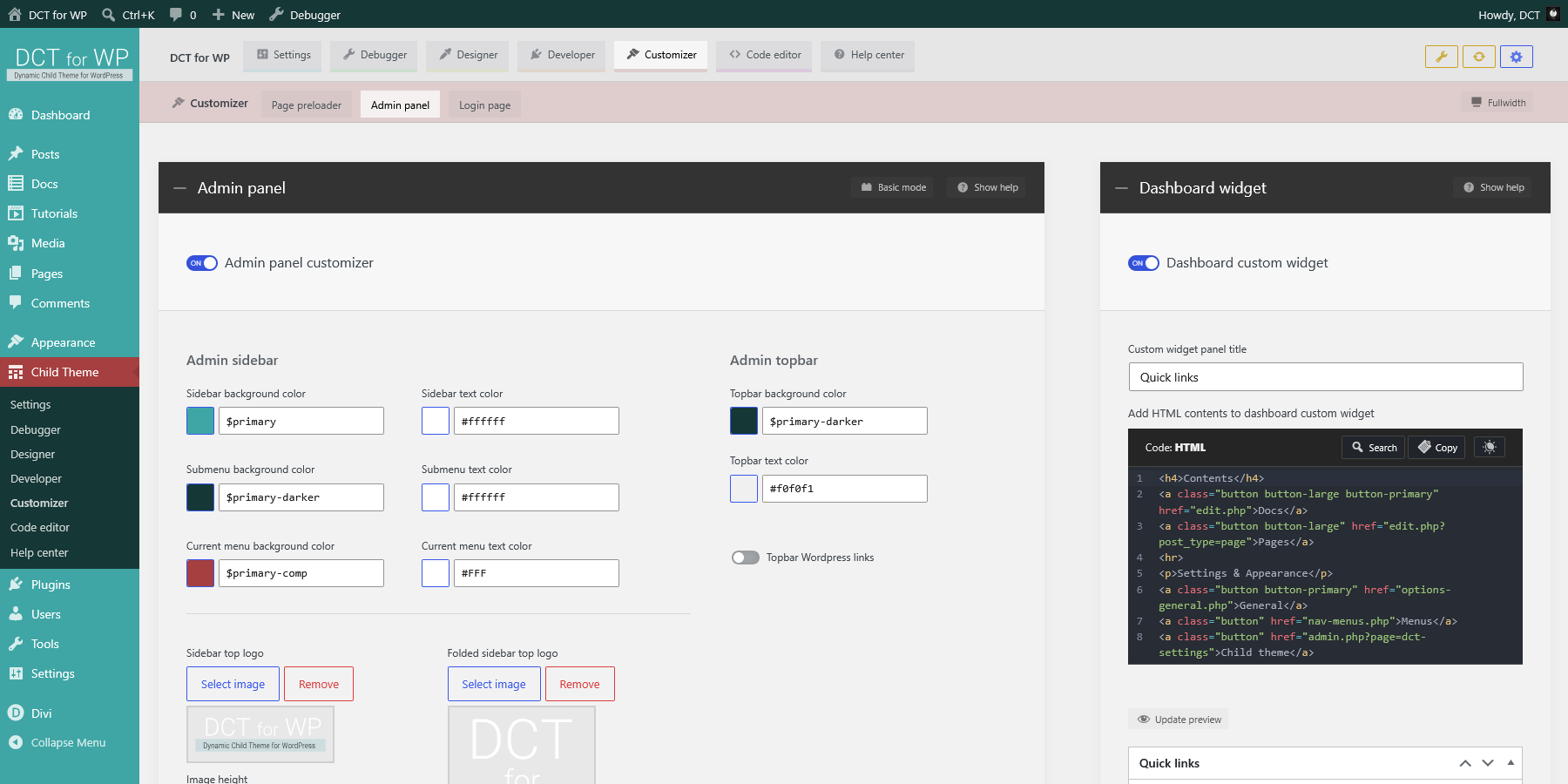
Customize admin panel colors, logos and other options.

Enable to customize admin panel sidebar colors and logo, admin topbar styles and admin panel footer info and credits.
On update:
Basic mode: New code will be generated to update the related partial SCSS file and all CSS will be compiled. Related theme mod will be updated.
Advanced mode: Editor code will be used to update the related partial SCSS file and all CSS will be compiled. Related theme mod will not be updated.

On reset:
Admin panel will reset to default styles.
Related partial SCSS file will reset to default template and all CSS compiled. Related theme mod will reset to default values.

Admin panel

Switch to advanced mode

Customize admin panel colors, logos and other options.

Enable to customize admin panel sidebar colors and logo, admin topbar styles and admin panel footer info and credits.
On update:
Basic mode: New code will be generated to update the related partial SCSS file and all CSS will be compiled. Related theme mod will be updated.
Advanced mode: Editor code will be used to update the related partial SCSS file and all CSS will be compiled. Related theme mod will not be updated.

On reset:
Admin panel will reset to default styles.
Related partial SCSS file will reset to default template and all CSS compiled. Related theme mod will reset to default values.

Admin sidebar

primary
#3fa6a5
primary-dark
#2a6e6d
primary-darker
#153736
primary-light
#6bc6c5
primary-lighter
#a2dbda
primary-comp
#a63f40
primary
#3fa6a5
primary-dark
#2a6e6d
primary-darker
#153736
primary-light
#6bc6c5
primary-lighter
#a2dbda
primary-comp
#a63f40

primary
#3fa6a5
primary-dark
#2a6e6d
primary-darker
#153736
primary-light
#6bc6c5
primary-lighter
#a2dbda
primary-comp
#a63f40
primary
#3fa6a5
primary-dark
#2a6e6d
primary-darker
#153736
primary-light
#6bc6c5
primary-lighter
#a2dbda
primary-comp
#a63f40


px

px

Admin topbar

primary
#3fa6a5
primary-dark
#2a6e6d
primary-darker
#153736
primary-light
#6bc6c5
primary-lighter
#a2dbda
primary-comp
#a63f40
primary
#3fa6a5
primary-dark
#2a6e6d
primary-darker
#153736
primary-light
#6bc6c5
primary-lighter
#a2dbda
primary-comp
#a63f40

Admin panel

Switch to basic mode

Customize admin panel colors, logos and other options.

Enable to customize admin panel sidebar colors and logo, admin topbar styles and admin panel footer info and credits.
On update:
Basic mode: New code will be generated to update the related partial SCSS file and all CSS will be compiled. Related theme mod will be updated.
Advanced mode: Editor code will be used to update the related partial SCSS file and all CSS will be compiled. Related theme mod will not be updated.

On reset:
Admin panel will reset to default styles.
Related partial SCSS file will reset to default template and all CSS compiled. Related theme mod will reset to default values.
File:
SCSS _admin-panel.scss/custom/scss/_admin-panel.scss
Partial SCSS styles for customizer: Admin panel.
Type: SCSS
Size: 7 KB
Modified: 2026/07/16 11:27:47
Open file in new tab
Toggle editor find & replace panel.
Hotkeys: CTRL + F to open, ESC to close
Copy editor contents to clipboard.
Toggle editor light/dark theme.

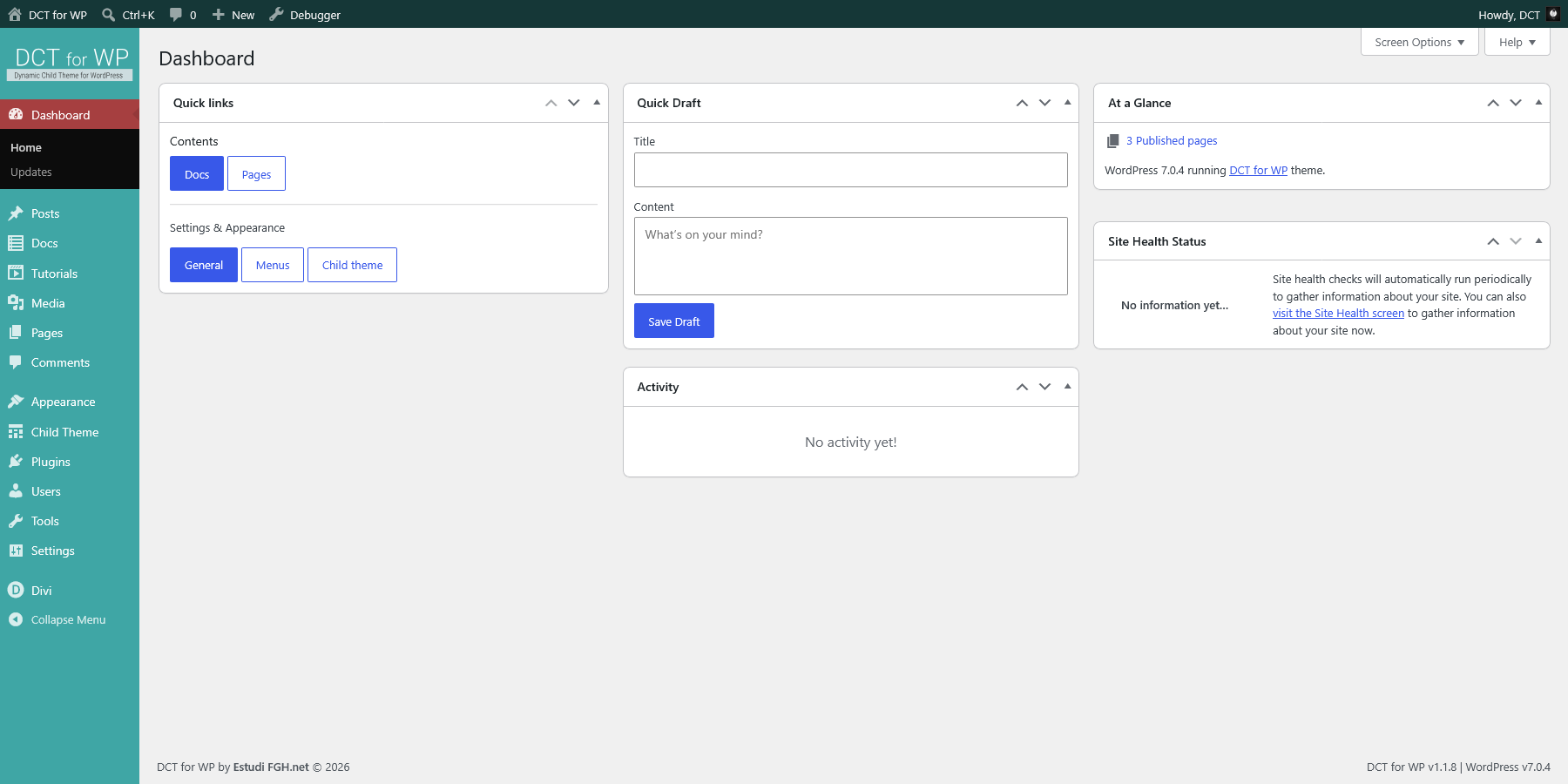
Dashboard custom widget

Add a custom widget panel with html contents to admin panel dashboard.

Enable dashboard custom widget to edit custom panel html contents.
Useful to add quicklinks to admin panel or forntend pages.
On update: Dashboard custom widget will appear in admin panel dashboard when enabled. Related theme mod will be updated.
On reset: Dashboard custom widget will be disabled and contents reset to default html. Related theme mod will reset to default values.

Dashboard widget

Add a custom widget panel with html contents to admin panel dashboard.

Enable dashboard custom widget to edit custom panel html contents.
Useful to add quicklinks to admin panel or forntend pages.
On update: Dashboard custom widget will appear in admin panel dashboard when enabled. Related theme mod will be updated.
On reset: Dashboard custom widget will be disabled and contents reset to default html. Related theme mod will reset to default values.
Add HTML contents to dashboard custom widget
Code: HTML
Toggle editor find & replace panel.
Hotkeys: CTRL + F to open, ESC to close
Copy editor contents to clipboard.
Toggle editor light/dark theme.

Quick links

Contents

New post Posts Pages

Settings & Appearance

General Menus Child theme